Astalavista
Content Type
Profiles
Forums
Events
Everything posted by Astalavista
-
cdrw's are so cheap get a 32X CDRW media
-
Question about using custom MST with MSO2003
Astalavista replied to durex's topic in Application Installs
looks ok is your office2003 in applications folder? -
I got one 4 months ago. I bought a another one last week.
-
OK That makes more sense.
-
doesn't start start.cmd, no access to $OEM$ folder
Astalavista replied to SLipEdd's topic in Unattended Windows 2000/XP/2003
dont scare him off now alanoll. well with the new guide i am sure it will be easier -
REQ: alienware shell32.dll or some cool shell32
Astalavista replied to Astalavista's topic in Unattended Windows 2000/XP/2003
ok, here is what has happen. I hv been modifying my shell32.dl_ in my I386 folder. let me show u how i was easly able to change my default icons. 1. download the attach file. 2. it is a freeware software that allow u to see the icon inside a dll or exe 3. just point to the icon u want and save it. 4. go to your i386 folder (make a backup copy first) and grab your shell32.dl_ file. 5. copy it to c:\shell 6. use the code below expand -r shell32.dl_ 7. u should now see a shell32.dll in your c:\shell folder 8. use Iconsext to view the icons u want to replace. Make a note which one u want to change and write a short note... ie hard drive icon, 11 etc. 9 go to www.iconfactory.com 10. download some cool icons. 11. pick which ones u want to replace with your original 12. google for a program called Resource Hacker 13. Use Resource Hacker to replace the original icons 14. Save 15. I dont know if this needs to be done but i use ModifyPe -c on the shell32.dll (just to be safe) 16 . Then i use this code makecab shell32.dll 17. copy the shell32.dl_ back to your I386 folder iconsext.rar -
SL79L 3.0E Ghz Really a Hyperthreading tech ...
Astalavista replied to rick90210's topic in Hardware Hangout
I hv the same processor it comes w/ hyperthread. is your cache also 1 mb? -
what happen u accidently erase something important?
-
LMAO nice joke... should be moved to the funny farm. welcome to MSFN.
-
I am planning to replace most of my original shell32_dll the icons for my XP. But i want full control of what icons are replaced. Some of the alienware shell32 are cool but some i dont like. Can someone upload alienware shell32.dll to Ezshare.de? or any other cool shell32.dll thanks!
-
doesn't start start.cmd, no access to $OEM$ folder
Astalavista replied to SLipEdd's topic in Unattended Windows 2000/XP/2003
u want to test you batch file is that correct? put all those programs in your c:\install folder run your start.cmd or whatever your using to start your batch commands. ??? wink wink dont u want to use RunonceEX.cmd method? it is easier to do and troubleshoot. http://unattended.msfn.org/xp/runonceex.htm http://unattended.msfn.org/xp/runonceex_cd.htm http://www.msfn.org/board/index.php?act=At...=post&id=232883 -
Here is a really useful software i found. http://www.stintercorp.com/genx/batchrename.php silent install switch batchren.exe /Silent inno setup works for retail and trial version.
-
WPI_2.7_Final by the Brain & Gresh
Astalavista replied to bishooman's topic in Windows Post-Install Wizard (WPI)
why dont u take a few minutes to back read? -
do yourself a favor download firefox browser. u can find a great guide on firefox in the unattended forum.
-
WPI_2.7_Final by the Brain & Gresh
Astalavista replied to bishooman's topic in Windows Post-Install Wizard (WPI)
he did not... -
how many click does it take to use your method? Whampoom? LOL
-
I see that 17 people will be NAMING their First BORN Nlite LMAO
-
Why to appear "Windows Install Wizard"
Astalavista replied to sai's topic in Unattended Windows 2000/XP/2003
ProductID ---- wrong! change it to ProductKey -
WPI_2.7_Final by the Brain & Gresh
Astalavista replied to bishooman's topic in Windows Post-Install Wizard (WPI)
Thanks!!! -
WPI_2.7_Final by the Brain & Gresh
Astalavista replied to bishooman's topic in Windows Post-Install Wizard (WPI)
here is another problem i have with description it doesn't work can u check the code -
WPI_2.7_Final by the Brain & Gresh
Astalavista replied to bishooman's topic in Windows Post-Install Wizard (WPI)
Mine has it. britishbulldog I need your advice... what should i do with the new build do i just replace everything? and retain only my config.js? 2.9.9 is in german... can u release an english version or tell me which file holds that info so i can change it to english? ok i found it! it is in the language.js I just remove the language i dont need. now it is in english. wpi.rar -
HOTFIXES: Windows XP SP2 & Windows 2000 SP4
Astalavista replied to Incroyable HULK's topic in Unattended Windows 2000/XP/2003
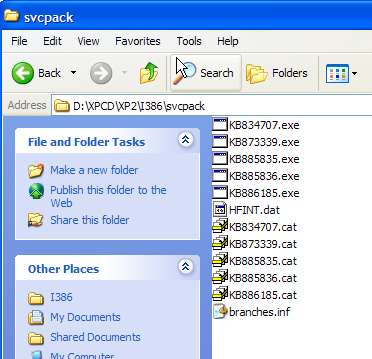
people hving problems downloading KB886185 here is Direct Link -
deleted... sorry i am a dumb a**

-
Why to appear "Windows Install Wizard"
Astalavista replied to sai's topic in Unattended Windows 2000/XP/2003
I pm him something in chinese. sorry ... i removed it already. -
LMAO u want to install Doom w/ your Unattended XP? I am sure it can be done... but are u sure? which doom do u hv doom3?