RBCC Posted October 12, 2004 Posted October 12, 2004 Is there anyway to install HP Deskjet 932c with toolbox silently?
Bâshrat the Sneaky Posted October 12, 2004 Posted October 12, 2004 Is there anyway to install HP Deskjet 932c with toolbox silently? Determine what kind of installer it is and then use the appropriate switch! (At LEAST for the toolbox, maybe are the drivers included, I don't know)http://unattended.msfn.org/xp/applications/innosetup.htmand use the menu to found more info about the other ones. (Unattended XP CD > Applications > the last five)Bâshrat the Sneaky
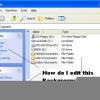
RBCC Posted November 9, 2004 Author Posted November 9, 2004 It just goes into a setup program, and doesn't say anything. Like in the attachement!
No1Spec Posted November 15, 2004 Posted November 15, 2004 Hey, sorry for the late reply. I use this silent method without any user interaction for printer installs all the time at work.It depends on a few things though. If you want to create TCP/IP ports then you'll have to use those useful vbs scripts in you "C:\windows\system32" folder.Its pretty easy. But theres always a problem if you're install drivers cos they have to be signed or something. Anyways if you only want to install a printer connected to the lpt1: port then that's one sinmple line using rundll, like this.rundll32 printui.dll,PrintUIEntry /if /b "Name of your Printer" /f "Path to *.inf" /r "Port Name" /m "Brother HL-2460 series" Hope this helps.

Recommended Posts
Create an account or sign in to comment
You need to be a member in order to leave a comment
Create an account
Sign up for a new account in our community. It's easy!
Register a new accountSign in
Already have an account? Sign in here.
Sign In Now