Everything posted by lord-nikon
-
Can you add this function to the core.js in the next release. I find this very handy to check the file version for whether and application must be installed or not. function GetFileVersion(filespec) { position="core.js"; whatfunc="GetFileVersion()"; return fso.getfileversion(filespec); } Regards Lord-nikon
-
I created a new mst file for KAV 6.0.0.303 , I did the same thing as I did in this post: http://www.msfn.org/board/index.php?s=&...st&p=509629 I made it for the dutch installer I think it should work for the other languages to. kav6.0.0.303.msi TRANSFORMS=kav6.0.0.303nl.mst /QN /NORESTART REMARK: When KAV runs for the first time the system will auto reboot!!! kav6.0.0.303nl.mst
-
I will look into it tonight if I can create an mst. Greetz Me Here are 2 .mst files 1 for Anti-Virus and 1 for Internet Security they are both based upon the 6.0.0.300 version: Put the file in the same directory and use the follwing command for Anti-Virus: kav6.0.0.300en.mst kav6.0.0.300en.msi TRANSFORMS=kav6.0.0.300en.mst /QN /NORESTART for Internet Security: kis6.0.0.300en.mst kis6.0.0.300en.msi TRANSFORMS=kis6.0.0.300en.mst /QN /NORESTART Enjoy youselfs with these .mst Greetz
-
It auto reboots when running for the first time, there is no question just a hard reboot.
-
I will look into it tonight if I can create an mst. Greetz Me
-
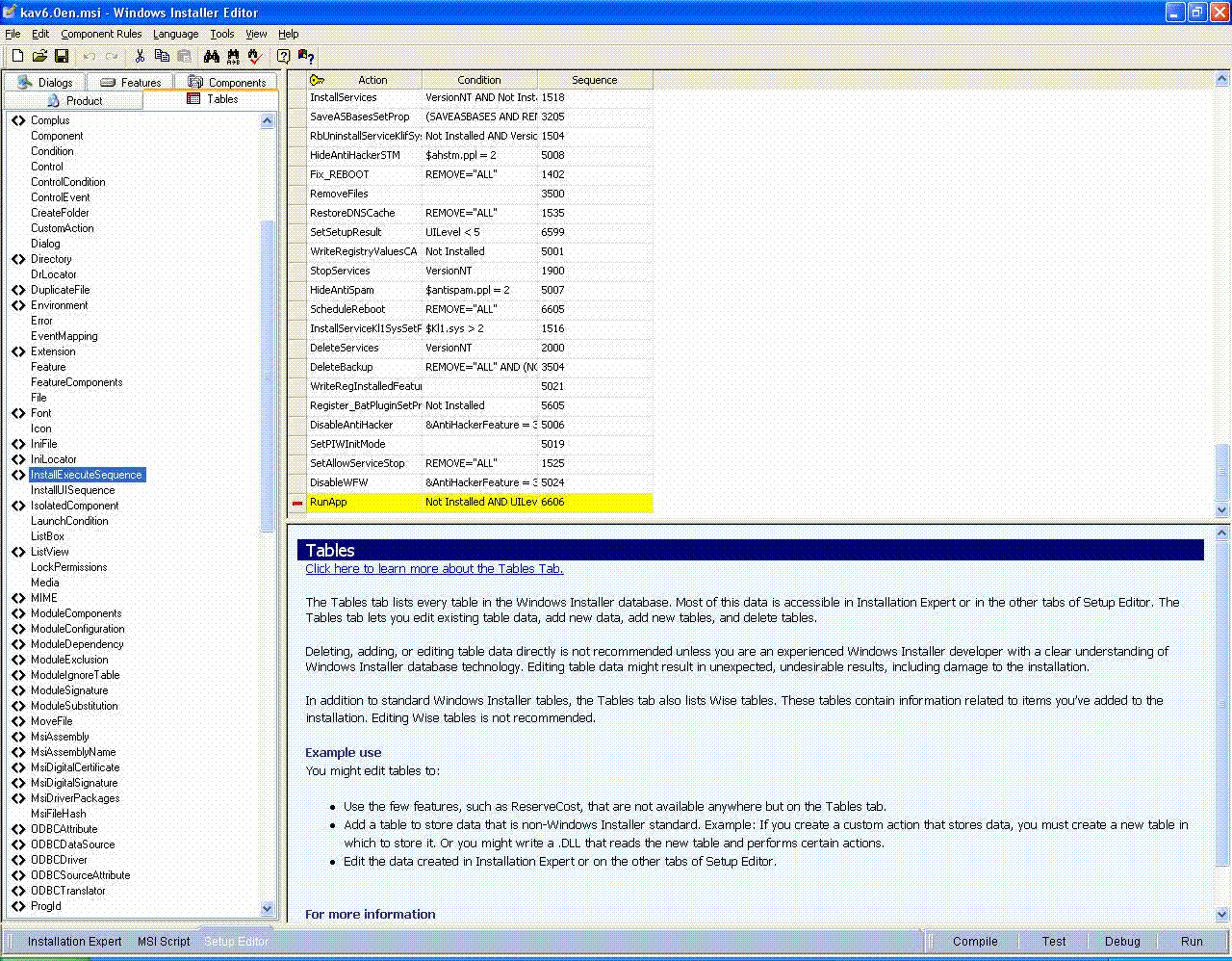
Hi All, I Had the same problem, I have a fix partially. I have edited the msi install file and removed 1 line. The line that starts up kaspersky anti virus. See the attachment And the installer does not reboot after install. The only thing is that kaspersky implented that the system needs to be rebooted when you start up kaspersky anti virus the first time. So concluding the fix I did doesn't require reboot at install, only at first run time. And I think this also applies to Kaspersky internet security. Greetz!