Skip to content
View in the app

A better way to browse. Learn more.

MSFN

A full-screen app on your home screen with push notifications, badges and more.

To install this app on iOS and iPadOS
  1. Tap the Share icon in Safari
  2. Scroll the menu and tap Add to Home Screen.
  3. Tap Add in the top-right corner.
To install this app on Android
  1. Tap the 3-dot menu (⋮) in the top-right corner of the browser.
  2. Tap Add to Home screen or Install app.
  3. Confirm by tapping Install.

Joostje

Member
  • Joined

  • Last visited

  • Country

    Netherlands
  1. Joostje replied to Joostje's topic in XPize
    It worked, thanks. I bet I've missed those other posts...
  2. Joostje posted a topic in XPize
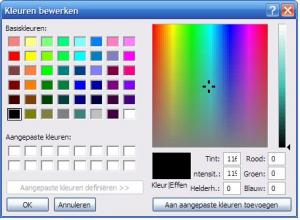
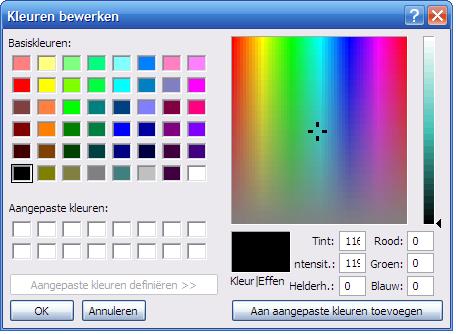
    Hi! I've just installed Xpize 4.2 MCE, it really freshend my computer :-) But one little problem (or is it just me), when I open paint and try to change the color by typing the RGB value windows wil display 3 digits. But when you remove them en try to typ in a new value the third digit windows beeps. It seems only 2 digits are allowed. I've tried removing paint.exe from the Xpize list, but that doesn't work (is it an explorer.exe thing). In MSN Messenger (8/WLM whatever) the same problem occours. Am I the only one wiith this problem or is it something global :-) And removing explorer.exe isn't quiete the solotion I'm hoping for. So, does anyone else have an idea :-) Thanks! Joostje PS: Ow I'm running Win XP (dûh) SP2, dutch version.


Account

Navigation

Configure browser push notifications

Chrome (Android)
  1. Tap the lock icon next to the address bar.
  2. Tap Permissions → Notifications.
  3. Adjust your preference.
Chrome (Desktop)
  1. Click the padlock icon in the address bar.
  2. Select Site settings.
  3. Find Notifications and adjust your preference.