-
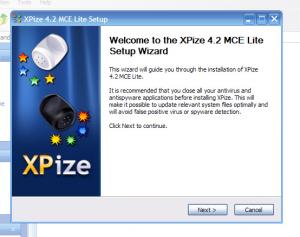
I personally don't think Xpize should be bundled with other software. Xpize updates shell32.dll and many other windows files. Xpize xpize's Windows. However, by bundling the Media center visual style and taskswitchXP, XPize has come to be known as an all-around Windows enhancement. Why don't we just let XPize do what its meant to, and then after the install say "hey, to fully enhance your experience download this software: UXtheme patcher, MCE royale theme, Yz shadow, taskswitchXP, Visualtasktips, ..." This message could pop up after Xpize install and give a thumbnail, name, description and URL link for each program. This would greatly reduce Xpize's install file size, and would guarantee that the user gets the latest version of the software. ~IMHO B)
-
Thanks for the feedback. I would like to take a shot and try to make them XPize style - what should I do, make them have the blue hue like the original?
-
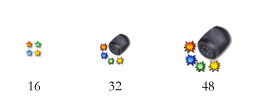
Thanks! Yes, these will be fully shared. If Xpero likes them, I hope they have a chance for being in the XPize "file type icons." If not, they will be here for anyone to use them as they want. Here are some quick 48x48 icons I made. I will probably improve them but this is what I have now. I tried putting dimple things on the four corners: But I don't think I like it. It's what I used in the second icon. Anyway, here they are: WMiconrender1.ico WMiconrender2.ico

-
Most definitely. It should be an option during install called "Modify IE7 to match XP icons" or something to that extent - because those icons go against the XP icon theme.
-
These are the WMP10 icons: I have long hated them. First, because they are a perfect example of how Microsoft is trying to turn everything blue. Just look at previews of the new MS office, everything is blue. Quite annoying. Second, they use the Windows standard, washed-out pastel colors. So, I have taken up the task to make a new one. 3d rendered to ensure exact shadowing, lighting, and dimensioning. Made with Blender. Tell me how you like them!! Click to enlarge!
-
Awesome. Can't see a lot of changes up-front, but its the "huge code changes" that really improve everything.
-
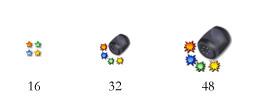
here you are. Right now I only have time for the app/install icon. Ok, i'm having a problem and the icon is dark for some reason, tomorrow I will fix it pepperinstall.ico
-
I'm glad you guys like it. So, whats the verdict Mr.Xpero? If so I am ready to supply the psd, ico, & bmp files.
-
Wait, it's a salt shaker right? I'm guessing it is because it makes perfect sense for what xpize does - spices up XP... I just wanted to show that it would be cool if there was a pepper shaker too...just a thought
-
I think it's about time the 'salt and pepper' theme went into full use.
-
Just a question, are the boot, login, shutdown, etc. screens that come with Xpize the new windows MCE versions?