



Skip to content
View in the app

A better way to browse. Learn more.

MSFN

A full-screen app on your home screen with push notifications, badges and more.

To install this app on iOS and iPadOS
  1. Tap the Share icon in Safari
  2. Scroll the menu and tap Add to Home Screen.
  3. Tap Add in the top-right corner.
To install this app on Android
  1. Tap the 3-dot menu (⋮) in the top-right corner of the browser.
  2. Tap Add to Home screen or Install app.
  3. Confirm by tapping Install.

tanethshire

Member
  • Joined

  • Last visited

  • Country

    United States
  1. I have an IBM T42 laptop with a DVD/CDRW drive in it. When I run Windows the drive shows up in the Safely Remove Hardware list (in the system tray). How do I force Windows to remove the drive from this list? (I never remove the drive from the computer and it bugs me that the remove hardware icon is always in the system tray) Thank you in advance, tanethshire
  2. Thank you for all the help. This is not a virus, it was the sleep mode problem described by gdogg.
  3. tanethshire posted a topic in Windows XP
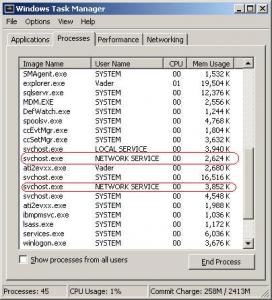
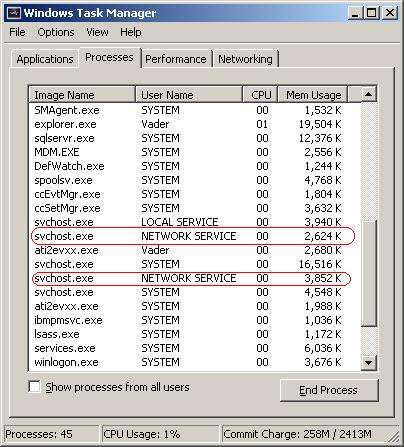
    I encounter this problem each time I use my computer: When I boot my computer or let it sit idle for a while my network dies. When I open the task manager I see two identical svchost.exe processes, both from "NETWORK SERVICE": When I kill the top instance of svchost.exe it restores my network. What is causing this issue, and how do I fix it? I am running XP with SP2 I have a 1.7GHz mobile P4 (centrino) in an IBM T42 1.25 GB RAM
Account

Navigation

Configure browser push notifications

Chrome (Android)
  1. Tap the lock icon next to the address bar.
  2. Tap Permissions → Notifications.
  3. Adjust your preference.
Chrome (Desktop)
  1. Click the padlock icon in the address bar.
  2. Select Site settings.
  3. Find Notifications and adjust your preference.