tordenflesk
Content Type
Profiles
Forums
Events
Everything posted by tordenflesk
-
well, apparently none of the .exe's in the ISO are valid win32 applications when I try to launch them from inside SOME WAREZ XP. If I try to start winnt32.exe from DOS I'm told winnt32.exe can't be run in DOS mode Again, the ISO boots and installs just fine. I'm getting the impression that the WAREZ doesn't like "64bit" XP. Any other ways of running an XP X64 install off a USB-drive?
-
Maybe you can use WINNT32.EXE in the AMD64 folder of your ISO instead. How exactly would I do that?
-
Source: en_win_xp_pro_x64_with_sp2_vl_X13-41611.iso run through this process: http://www.msfn.org/board/topic/105277-howto-create-a-fully-up-to-date-xp-x64-dvd/ I boot my WAREZ USB-stick, format the drive with two partitions(I set \Program Files to D:\Programs and \Documents and Settings to D:\Settings in nLite) and run WinNTSetup as I usually do with XP x32. After the initial text-mode section I get a "process1_initialization_failed" BSOD. I've tested this process via Virtualbox and the same thing happens. If I mount the ISO in VirtualBox it installs just fine. Any way I can avoid having to steal a DVD-burner from someone else in the house to install this?
-
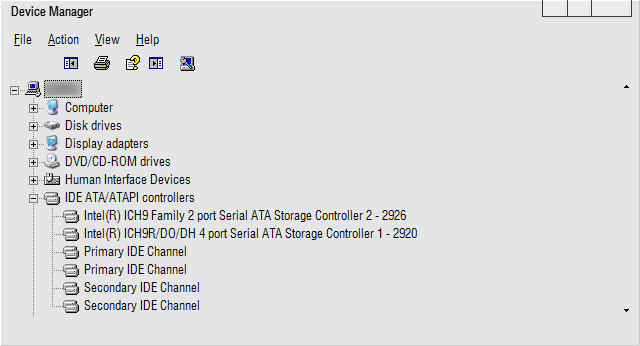
Just wanted to confirm that this: and this: Worked on Abit IP35PRO with the IC9R. Installed the driver, moved the iastor.sys and ran the reg-file. Restarted, set AHCI, rebooted and prayed
-
I know that. It's just that there's no way in hell I'm ever going to find it on intel's site. I found something for ICH6R, but otherwise nothing.
-
What would an "appropriate" iastor.sys be?
-
Anyone?
-
So, just install the driver via Device Manager, ignore the "This driver hasn't been blessed by Bill himself"-bit, reboot, switch to AHCI in the BIOS and pray to FSM it won't BSOD then?
-
I have both ICH9 and ICH9R on my IP35PRO. What do i do? I've tried switching to AHCI before, resulting in BSOD's and re-installs.

-
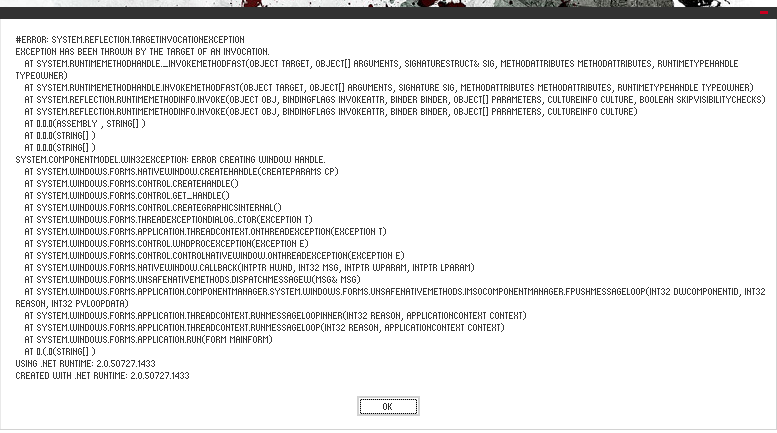
I've been having problems with .net lately after i moved(registry and all) my programs-folder(Custom "program files" with an annoying typo). I couldn't make much sense of the error, so I'm not sure if .net's the bad guy here.
-
Hi. Having a bugger of a problem here. a couple days back, when i booted my comp. i got a whole bunch of "Windows Could Not Load The Installer for Keyboard" and "Windows Could Not Load The Installer for Mouse" error messages and the driver update wizard re-installed both as "unknown" devices in their respective categories. Both the keyboard and the mouse were working fine, but getting these messages was getting pretty annoying. So i uninstalled the drivers for both, and reinstalled both. iTouch installed fine, but Intellipoint complained about not having enough space(there was plenty). Now I've uninstalled both from Device Manager and moved them to other USB-connections. Now, they won't work at all, and i keep getting the messages. Currently I'm using an old rubbish set of PS/2 Keyb. and Mouse. I've been googling like mad trying to figure this out, but all i seem to find is people having to re-install Windows. Not even freaking MS Knowledgebase had heard about this error at all. Am i forced to format and start over?
-
Nuhi: I read what you wrote, I just asked if it could be possible to do it another way. I'm sorry if i didn't throw in a bunch of useless "thanks" and "please"-thingys.
-
I doubt respecting my temp-folder will solve anything. I got rid of the folder by re-doing the process of copying the DVD to Disk, but it seems to me that's a waste of both time and space since it clearly could be done with a simple Shift-DEL and not waste ANY space in the process.
-
Camarade_Tux: Only when deleting nuhi: What a bullcrap way of doing things. 1. Why create a separate user just to copy the contents of the disk? 2. And why not do it the way nLite does it? I never had any problems removing it's temp-files.
-
Windows XP Pro SP2. All partitions are NTFS. I did the XP Home trick, and got the Security Tab. I followed your guide from your previous post, but it still gives me an access denied-error
-
Camarade_Tux:There is no Security Tab i the properties of that folder(or any other folder) nuhi: Browsing the image?
-
So, are you supposed to be able to remove the temp-folder? It won't go away in normal or safemode. Unlocker or Gipo Move@boot won't dispose of it either. Having 4+ gigs of crap in my temp is NOT fun.