Skip to content
View in the app

A better way to browse. Learn more.

MSFN

A full-screen app on your home screen with push notifications, badges and more.

To install this app on iOS and iPadOS
  1. Tap the Share icon in Safari
  2. Scroll the menu and tap Add to Home Screen.
  3. Tap Add in the top-right corner.
To install this app on Android
  1. Tap the 3-dot menu (⋮) in the top-right corner of the browser.
  2. Tap Add to Home screen or Install app.
  3. Confirm by tapping Install.

phrack

Member
  • Joined

  • Last visited

  • Country

    Romania
  1. there is somewhere windows 98/95 LIVE CD? i need it thx!
  2. phrack replied to phrack's topic in Windows XP
    thanks man! i found it
  3. phrack posted a topic in Windows XP
    i need to find a theme for XP! i have only taskbar screenshot please i need it!
  4. phrack replied to phrack's topic in Windows XP
    cool! thanks!
  5. phrack replied to phrack's topic in Windows XP
    is not at explorer.exe ( and not at shell32.dll
  6. phrack replied to phrack's topic in Windows XP
    NOBODY KNOWS WHAT DLL OR FILE SHOW THE INFORMATION?
  7. phrack replied to phrack's topic in Windows XP
    I NOT KNOW HOW TO EXPLAIN i will give you a shot when i modifi the dll!
  8. phrack replied to phrack's topic in Windows XP
    i want to change the aspect and some ideas i have.. sorry for my english but you know what dll it used?
  9. Windows VISTA: Viruses, Infections, Spyware, Trojans and Adware..
  10. phrack posted a topic in Windows XP
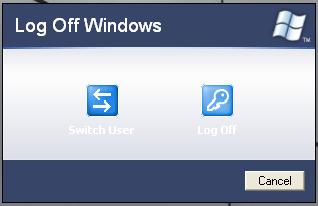
    in what dll i can find this:
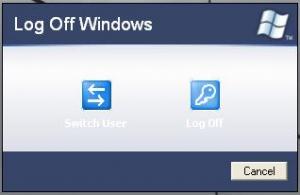
  11. In what dll i can find this: i know that in msgina.dll is stored when i shutdown!but i what file is stored when i log off?
  12. i making an unatended xp instalatioon/ How i can include icons from longhorn to windows xp?
  13. were i can find the files what are Longhorn transformation pack 10? i want some files from it like bootscreens ,logon and to change them.,.
  14. what dll or cpl did you know and i can modify my windows to be more cool ? oneless: acceasi performanta dar cand vin pretenii la mine le arat rami mei
  15. i modified that and now my computer has 1 GB ram and FX55 and windows phantom!

Account

Navigation

Configure browser push notifications

Chrome (Android)
  1. Tap the lock icon next to the address bar.
  2. Tap Permissions → Notifications.
  3. Adjust your preference.
Chrome (Desktop)
  1. Click the padlock icon in the address bar.
  2. Select Site settings.
  3. Find Notifications and adjust your preference.