Skip to content
View in the app

A better way to browse. Learn more.

MSFN

A full-screen app on your home screen with push notifications, badges and more.

To install this app on iOS and iPadOS
  1. Tap the Share icon in Safari
  2. Scroll the menu and tap Add to Home Screen.
  3. Tap Add in the top-right corner.
To install this app on Android
  1. Tap the 3-dot menu (⋮) in the top-right corner of the browser.
  2. Tap Add to Home screen or Install app.
  3. Confirm by tapping Install.

shiversc

Member
  • Joined

  • Last visited

  • Country

    Germany

Everything posted by shiversc

  1. WindowsXP-KB007-Firefox-x86-DEU.EXE all you need
  2. http://iamnotageek.com/articles.php?aid=43
  3. thanks maverick! my vmware wont run stable with the vmware-tools! is not possible to create a shared folder for me. have anybody some other ideeas? PS: where can i get the "w2kdatacenter.DAT"
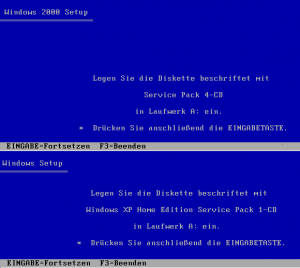
  4. the setup of win2k and winxp-home will have floppy disks! why? http://flyakite.msfnhosting.com/2000.htm example: in my boot folder (2pro) i have copied the 4 floppy images for floppy boot! what now? please help!!! sorry for my bad english
  5. sorry for my bad english. do somebody know where i get a list of all hotfixes after sp1. the release date is important. thanx shiver

Account

Navigation

Search

Search

Configure browser push notifications

Chrome (Android)
  1. Tap the lock icon next to the address bar.
  2. Tap Permissions → Notifications.
  3. Adjust your preference.
Chrome (Desktop)
  1. Click the padlock icon in the address bar.
  2. Select Site settings.
  3. Find Notifications and adjust your preference.