-
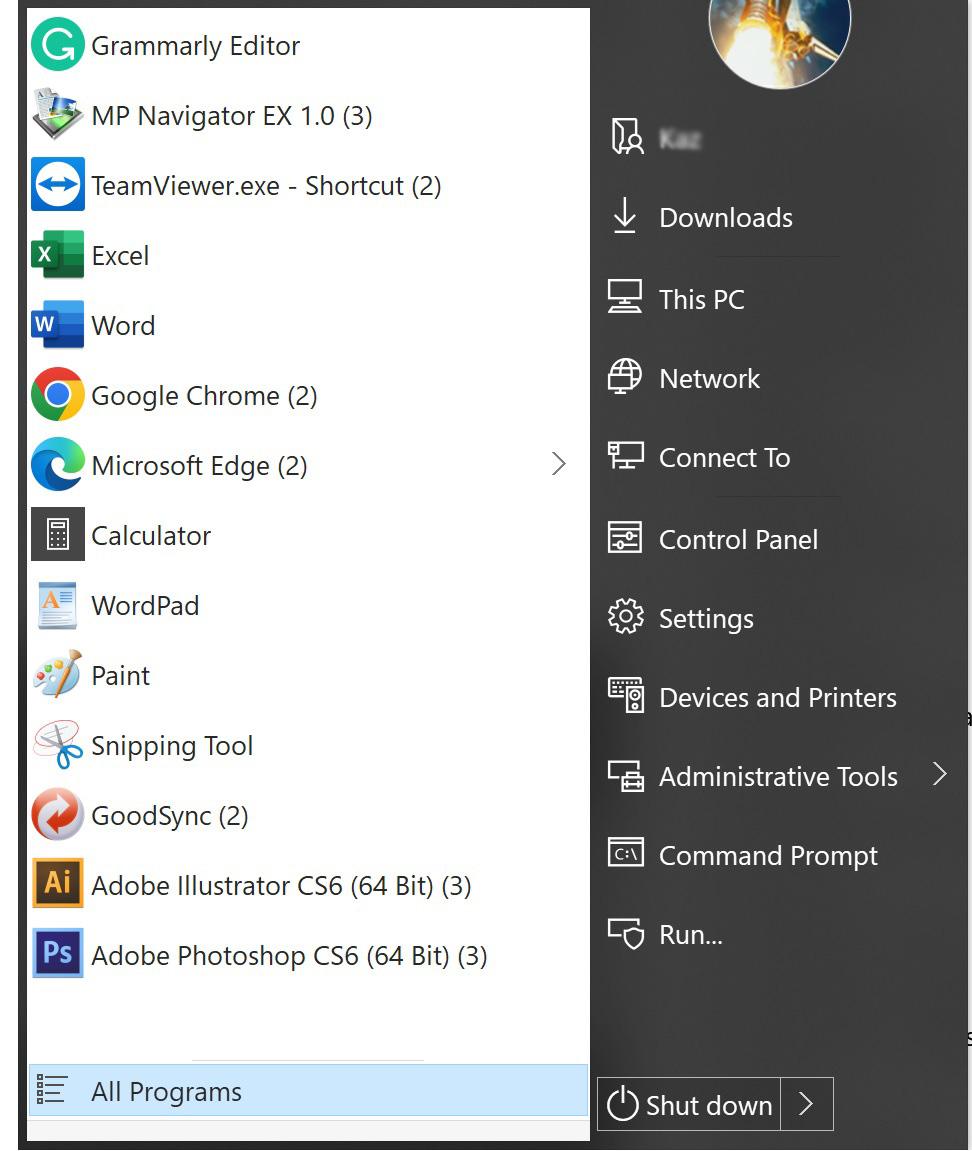
I can no longer do the above. I used to be able to drag and drop a shortcut out from its folder or the desktop to anywhere in the start-menu area, but no longer. The shortcuts shown in the attached screenshot are dragged and dropped, or copied and pasted.
-
I am a long time user of StartIsBack. I am periodically getting a message saying "Trial is over . . . . " and have to re-activate it. It is not trial and has been activated. It could be re-activated when this happened but it is really annoying. Is there a way to suppress the error message?
-
It WAS NOT unchecked. Thank you very much for your very prompt help.
-
Please ignore this post which was done by mistake. In the Configuration, the check mark is removed but recently opened files are still shown for MS Word, Excell, etc. The OS is W8(not 8.1) and the StartIsBack version is 2.1.2. How can the problem be remedied?
-
OK, I will post back if it recurrs.
-
Thanks for your reply. I am the only one who is using the machine. Anyway, I downloaded and installed v2.1.
-
Try reinstalling app for your user, not all users. Ensure you have latest SIB version. Do you mean suggesting that I reinstalling application softwares? There are many application softwares that are installed. I wonder what has to do with those application softwares. Maybe I missunderstood your reply.
-
I am periodically getting message saying "Trial period is expired . . . " and I have to re-enter the key every time this happened. How can I stop this?
-
Thank you very much for your help.
-
I logged in and looked for "Manage Watched Topics" tab but could not find it. Please help.
-
He means the "Advanced" section of StartIsBack's settings - right-click on the start-button and select "Properties" then select "Advanced" from the list on the left-hand side of the settings window that opens. The options you need are in the "Tweak Windows Settings" section on the right-hand side. I looked for that there but it was not there. This time I noticed "New updates is available". I installed the updates and "Advanced" emerged. Thanks for your help.
-
Go to Advanced - check off Store and display recently opened programs.I did not know where the Advanced is. The problem is resolved by removing check marks on the Jump Lists tab.
-
I guess it is relating to "Number of recent programs to display". It is on Properties > Start Menu. Try changing 10 to 0 to see if it works. I do not want the recent programs displayed at all. Presently they are added until the space is filled up. I need certain space there where I can manually place icons.
-
If I launch a new app from a start menu folder, the icon of that app is added to the list which is displayed by clicking on the start orb. Is there a way to suppress this behavior?
-
The RAM's spec shows Feature Overclock XMP 1.3. I looked for the XMP on the BIOS but could not find it. I decided to go ahead and changed mult facter from 8 to 9.33 and the timings for those I know of or 9-10-9-27, and left defaults as were for those I do not know about. The result was that the system booted fine. The defaul values left unchanged appear to have been automatically changed. The CPU-Z now shows this. The voltage as shown on the RAM spec is 1.50 but the BIOS now shows 1.510V. Probably I do not need be concerned about. But It should work at 1.50V since I am not overclocking.