


-
I have but it did not do anything. It just shut the screen and did not give me any other option to continue. Maybe that's the way it is? I am a newbie but not that bad
-
Sorry for keep posting but I need help
-
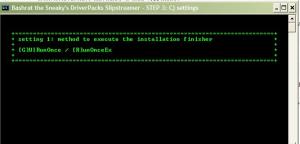
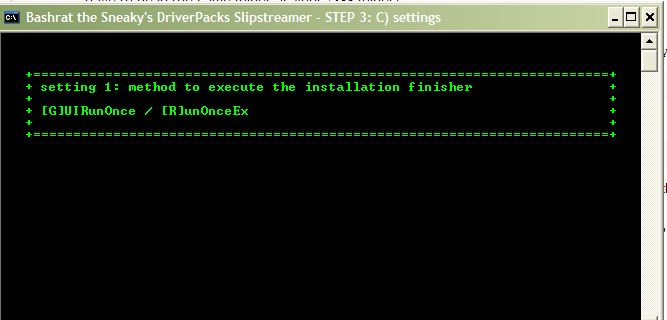
I hope I get this answered soon since that screen (the attached picture) is still waiting for me to do something
-
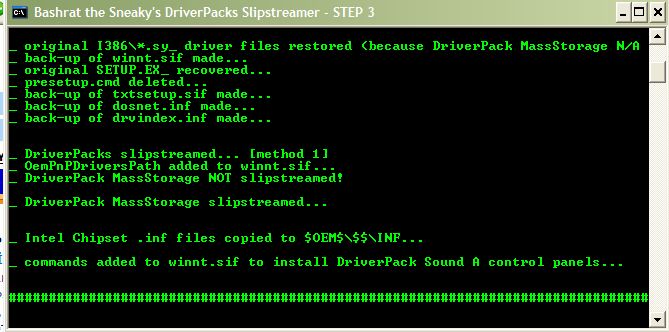
I don't know what to do it after this screen. How do I choose Guirunonce or the other one? After choosing I am done, correct? Also while decompressing, ipgnd51.sys could not be found but other than that it looked like everything went fine. I am a newbie so please help Thanks!
-
BTS, I will definetly do it but this will not be for a while (a week or so) since I need my brother back up his stuff on his computer. He is the one who has the Asus Mobo. I am sure I will ask how to do it when I am ready Compare to what you do, mine is nothing
-
Asus A8V Deluxe
-
Use search, thats a solved problem. ← I know it has with this last update but still I am worried since something may go wrong
-
I had no error messages during slipstream. I deleted "DOCS, SUPPORT, VALUEADD, LANG, cmpnents, WIN9XMIG, WIN9XUPG and WINNTUPG. My CD after slipstream is 699MB. Does everybody have the same size if deleted these folders and used Method 1? Is it possible to have problems during Windows installation? I am more worried about the VIA8237 since that is the biggest hassle to install since my brother's computer does not have a floppy so I have to hook up mine to his. P.S. For some reason I could not find these files, instmsia.exe and instmsiw.exe, as it was mentioned here, http://unattended.msfn.org/advanced/space_saving_tips.htm Thanks guys!
-
Strange but maybe normal? When I had a problem, the slipstream would not fit on a CD although I deleted the "DOCS", etc. Then I slipstreamed without a problem and after deleting "DOCS", etc. I could fit on a CD. Is it normal? Method 1 SP2
-
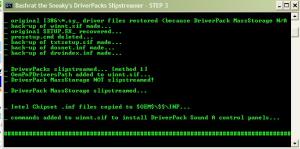
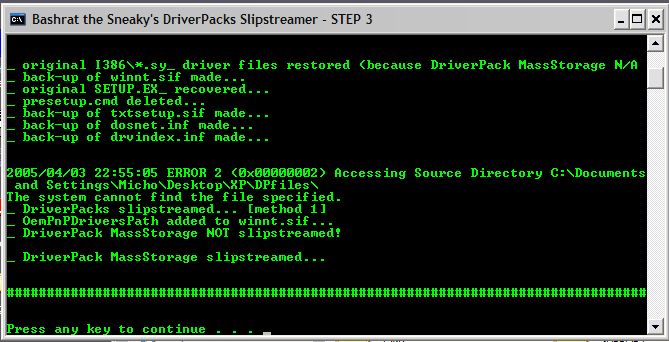
I knew I was doing something wrong How does it look now? Looks fine but one thing confuses me; it says MassStorage is not slipstreamed then below it says it is. Still good? Ooo one more thing, I am going to burn this to a DVD? My XP folder is 944MB after the slipstream. Can I delete some folders/files like support, etc?
-
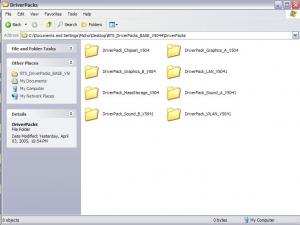
here are the details
-
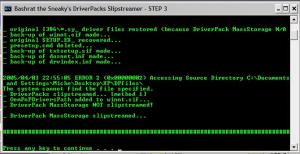
Hi BTS, Now I am thinking I am doing something wrong
-
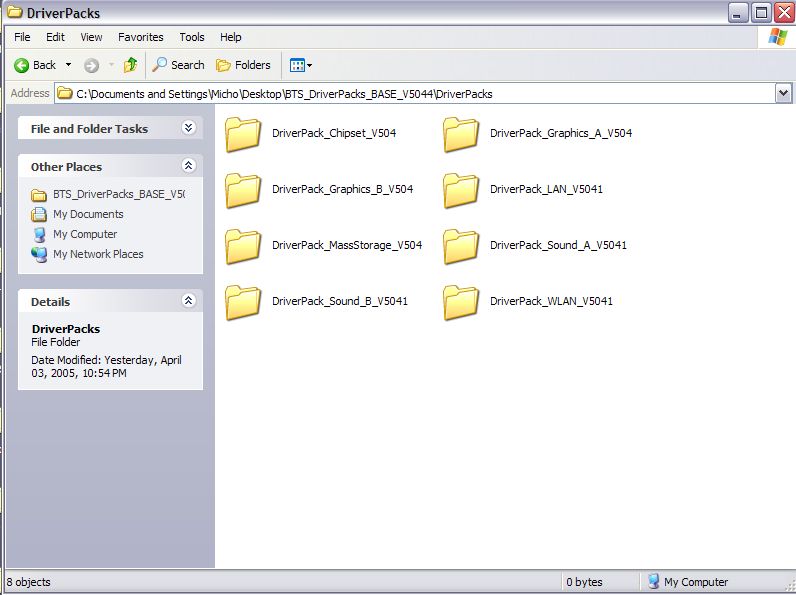
I am going to write everything step by step. First I downloaded the new base 5041. Then I put the driver packs (5040) in the "driverpack" folder. Then I run BTS_DPs_Slipstreamer_V5041 chose method 1 and put the contents (M1 and Run_Me.cmd) of UWXPCD_Root to my C:/XP which I copied all from my SP2 slipstreamed XP CD. Then the errors which I posted the screenshots in this topic. I have no idea why I am having this problem. I am using XP SP2 English.How can I remake it? You mean unzip it again? I did it, no luck. It did not mess anything in mine, at least I did not see anything strange

Account
Navigation
Search
Configure browser push notifications
Chrome (Android)
- Tap the lock icon next to the address bar.
- Tap Permissions → Notifications.
- Adjust your preference.
Chrome (Desktop)
- Click the padlock icon in the address bar.
- Select Site settings.
- Find Notifications and adjust your preference.
Safari (iOS 16.4+)
- Ensure the site is installed via Add to Home Screen.
- Open Settings App → Notifications.
- Find your app name and adjust your preference.
Safari (macOS)
- Go to Safari → Preferences.
- Click the Websites tab.
- Select Notifications in the sidebar.
- Find this website and adjust your preference.
Edge (Android)
- Tap the lock icon next to the address bar.
- Tap Permissions.
- Find Notifications and adjust your preference.
Edge (Desktop)
- Click the padlock icon in the address bar.
- Click Permissions for this site.
- Find Notifications and adjust your preference.
Firefox (Android)
- Go to Settings → Site permissions.
- Tap Notifications.
- Find this site in the list and adjust your preference.
Firefox (Desktop)
- Open Firefox Settings.
- Search for Notifications.
- Find this site in the list and adjust your preference.