Everything posted by mk2k
-
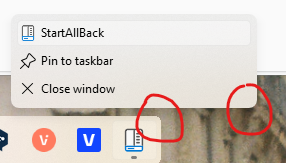
I realize this is vain and cosmetic, but would it be possible to match aliasing and corner radius of the taskbar in Segments mode to that of the context menus?
-
Start menu file search doesn't work on my end (only searches programs and Windows settings), I've tried resetting to default values, checking Indexing options in Windows, nothing seems to help. Any ideas? (Default Windows search works)
-
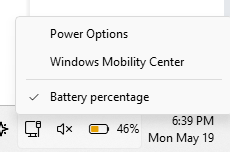
Is it possible to add a W11 Power & battery settings page link in the battery context menu? I often use it to investigate battery drain.
-
Light mode tooltip bug in the latest version (clock area tooltip not affected by this), manifests when energy saver is on

-
"Use new font for classic UI" feature doesn't work at 125% scaling. If I toggle the feature and switch to 100% scaling, it applies, but when I switch to 125%, system UI changes to old Segoe. Rebooting doesn't fix.

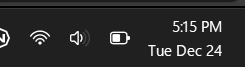
-
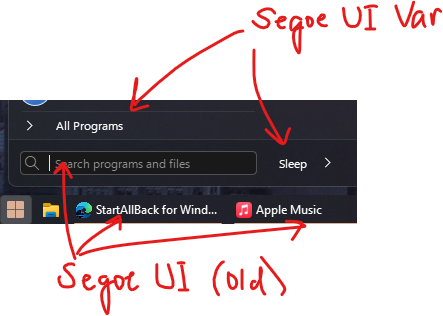
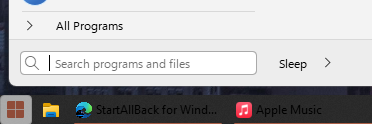
1. The Use new font for classic UI checkbox works on the desktop icons, Explorer UI, date and time in the tray and most of the Start menu elements, but taskbar labels stay in the old Segoe UI, so it looks jarring next to the updated date and time in the tray. Any way to make the taskbar labels follow suit? 2. With transparency disabled (energy saver on my laptop) I see this visual glitch when switching between dark and light themes (taskbar label color changes to black but the taskbar background does not). The only fix is to toggle transparency back on (then off again). Is this fixable? Thanks for taking a look.