Skip to content
View in the app

A better way to browse. Learn more.

MSFN

A full-screen app on your home screen with push notifications, badges and more.

To install this app on iOS and iPadOS
  1. Tap the Share icon in Safari
  2. Scroll the menu and tap Add to Home Screen.
  3. Tap Add in the top-right corner.
To install this app on Android
  1. Tap the 3-dot menu (⋮) in the top-right corner of the browser.
  2. Tap Add to Home screen or Install app.
  3. Confirm by tapping Install.

lackschuh

Member
  • Joined

  • Last visited

  • Country

    Austria
  1. BattlEye blocks StartAllBackLoaderX64.dll because there must be some kind of connection between GTA5.exe and StartAllBackLoaderX64.dll. https://www.battleye.com/support/faq/
  2. I have purchased a license. Now I'm supposed to take care of the problem myself? Nice support , lol
  3. My last post regarding BattlEye was on 9/29/2024, a month ago... is this bumping? if yes, sry. And the question why BattlEye blocks the StartAllBackLoaderX64.dll file has not yet been answered.
  4. Why was my post about BattlEye deleted?
  5. GTA 5 - Online
  6. BattlEye is blocking startallback. why?
  7. Fixed with 3.8.3 👍
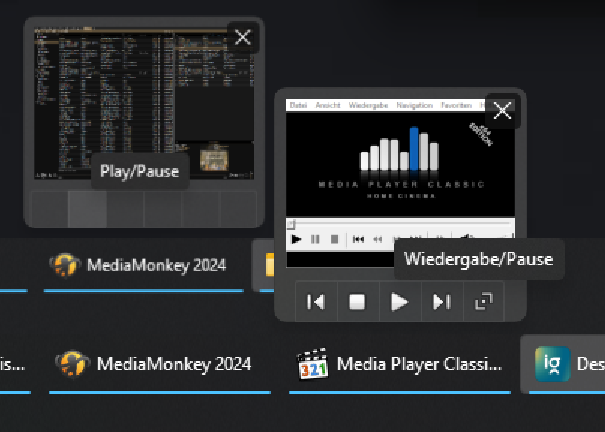
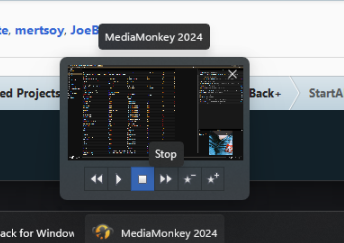
  8. Hi Following issue after StartAllBack update to 3.8.2: I don't have any icons (play, next...) on Windows taskbar thumbnail preview (MediaMonkey). See attached file/pic. Other programms like mpc-hc show me icons. Is this "bug" known? After turn off StartAllBack all icons are shown. StartAllBack off:
Account

Navigation

Configure browser push notifications

Chrome (Android)
  1. Tap the lock icon next to the address bar.
  2. Tap Permissions → Notifications.
  3. Adjust your preference.
Chrome (Desktop)
  1. Click the padlock icon in the address bar.
  2. Select Site settings.
  3. Find Notifications and adjust your preference.