-
What part of my request-opinion "please give us an option to use "old" style" did you missed? I know it's preference, that is the reason I wrote "please give us an option", simple checkbox or something to switch between progress style... I did not want anyone to start this "oh I like it/I don't" nonsense. But since you mention it, I also like visually new progress in taskbar, it is just that I find in real work that I simply do not notice that tiny line like I notice full color progress in taskbar..so I prefer it for real-life-work reasons, not aesthetic reasons.
-
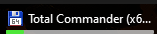
Progress in taskbar not reseting with Total Commander is fixed in version 3.8.2, thanks, but can we please have at least an option to turn previous 3.7.11 version progress style where green bar fill whole task? Tiny progress in 3.8.2 version is a dealbreaker for me (second picture), 3.7.11 style was MUCH more noticeable and usable, at least for me...as I said, please give us an option to use "old" style "full green" progress in taskbar, thanks. Regards


-
Hi, noticed very distracting bug...in 3.8.x version when doing something (in this example in TC) like calculating sha1 on large dir etc., progress line in taskbar does not reset after it is finished or canceled. It stays like in attached bug.png forever (or until minimized to tray->restored): ...when in fact it should be like in attached Nobug.png, as soon as progress is canceled/finished (because nothing is copying/progressing/doing anymore) Only tested version 3.7.11 for a short time before, as I remember in that version this bug was not present. Regards