



Skip to content
View in the app

A better way to browse. Learn more.

MSFN

A full-screen app on your home screen with push notifications, badges and more.

To install this app on iOS and iPadOS
  1. Tap the Share icon in Safari
  2. Scroll the menu and tap Add to Home Screen.
  3. Tap Add in the top-right corner.
To install this app on Android
  1. Tap the 3-dot menu (⋮) in the top-right corner of the browser.
  2. Tap Add to Home screen or Install app.
  3. Confirm by tapping Install.

djank

Member
  • Joined

  • Last visited

  • Country

    Sweden
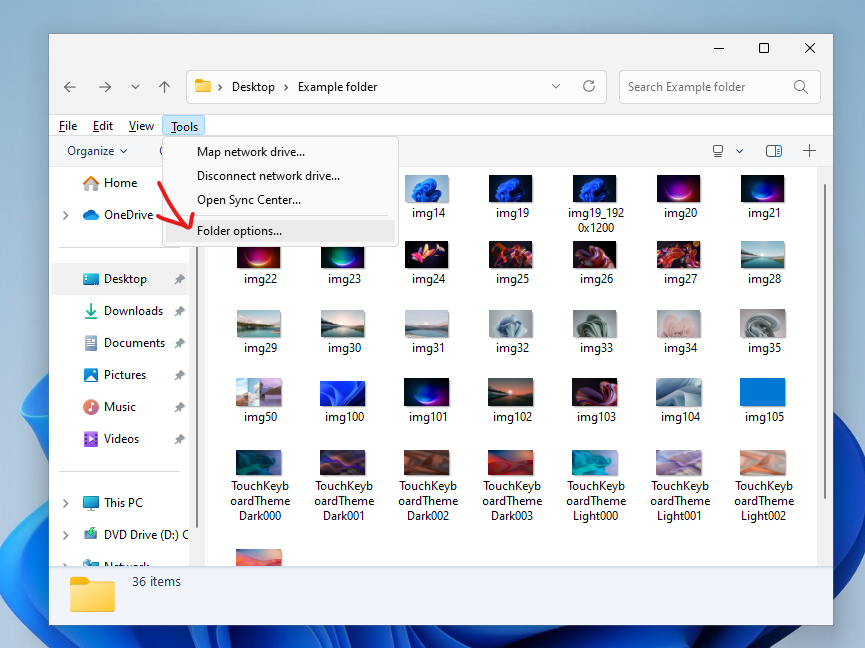
  1. One use case I have menus is it was the way for accessing "Folder Options" for specific folders when using "Windows 7 Command Bar" Explorer style. Right now you have to use "Win11 Command Bar" or "Win10 Ribbon UI" to get to that dialog.
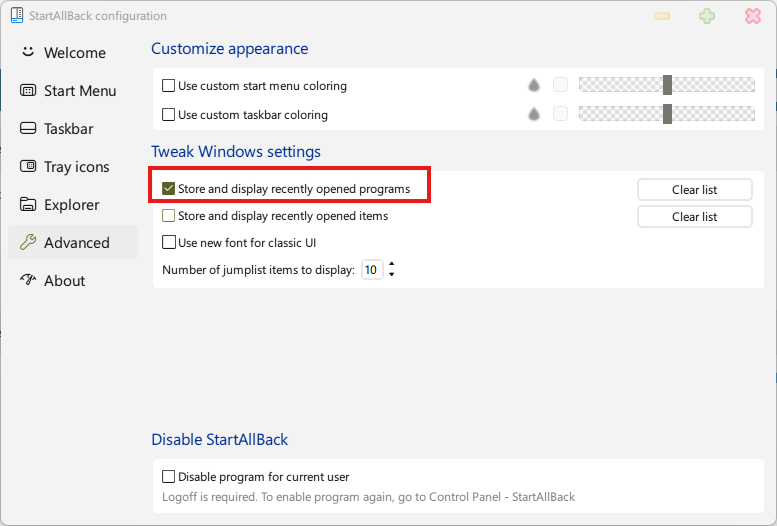
  2. I usually have this option OFF (not checked), but for like 1-2 months now it seems to get turned ON (checked) randomly (maybe at reboot?) Using version 3.7.10, on Windows 11 23H2, but I think it was happening on 3.7.9 also...
  3. Hi I have an issue since a few months back. When using the Explorer variants Win10 Ribbon UI or Win7 Command Bar, I am no longer able to focus/select the address bar using the keyboard shortcut Alt+D. Ctrl+L works. I was thinking it was on my end, but have now tried on multiple PCs. Main PC using 3.7.5 on Win11 23H2.

Account

Navigation

Configure browser push notifications

Chrome (Android)
  1. Tap the lock icon next to the address bar.
  2. Tap Permissions → Notifications.
  3. Adjust your preference.
Chrome (Desktop)
  1. Click the padlock icon in the address bar.
  2. Select Site settings.
  3. Find Notifications and adjust your preference.