Skip to content
View in the app

A better way to browse. Learn more.

MSFN

A full-screen app on your home screen with push notifications, badges and more.

To install this app on iOS and iPadOS
  1. Tap the Share icon in Safari
  2. Scroll the menu and tap Add to Home Screen.
  3. Tap Add in the top-right corner.
To install this app on Android
  1. Tap the 3-dot menu (⋮) in the top-right corner of the browser.
  2. Tap Add to Home screen or Install app.
  3. Confirm by tapping Install.

Taha Amin Ghafuri

Member
  • Joined

  • Last visited

  • Country

    country-0
  1. Also vxkex, which is incomplete by @i486 and has many bugs and problems during build! I think the repositories that have been created are fake.
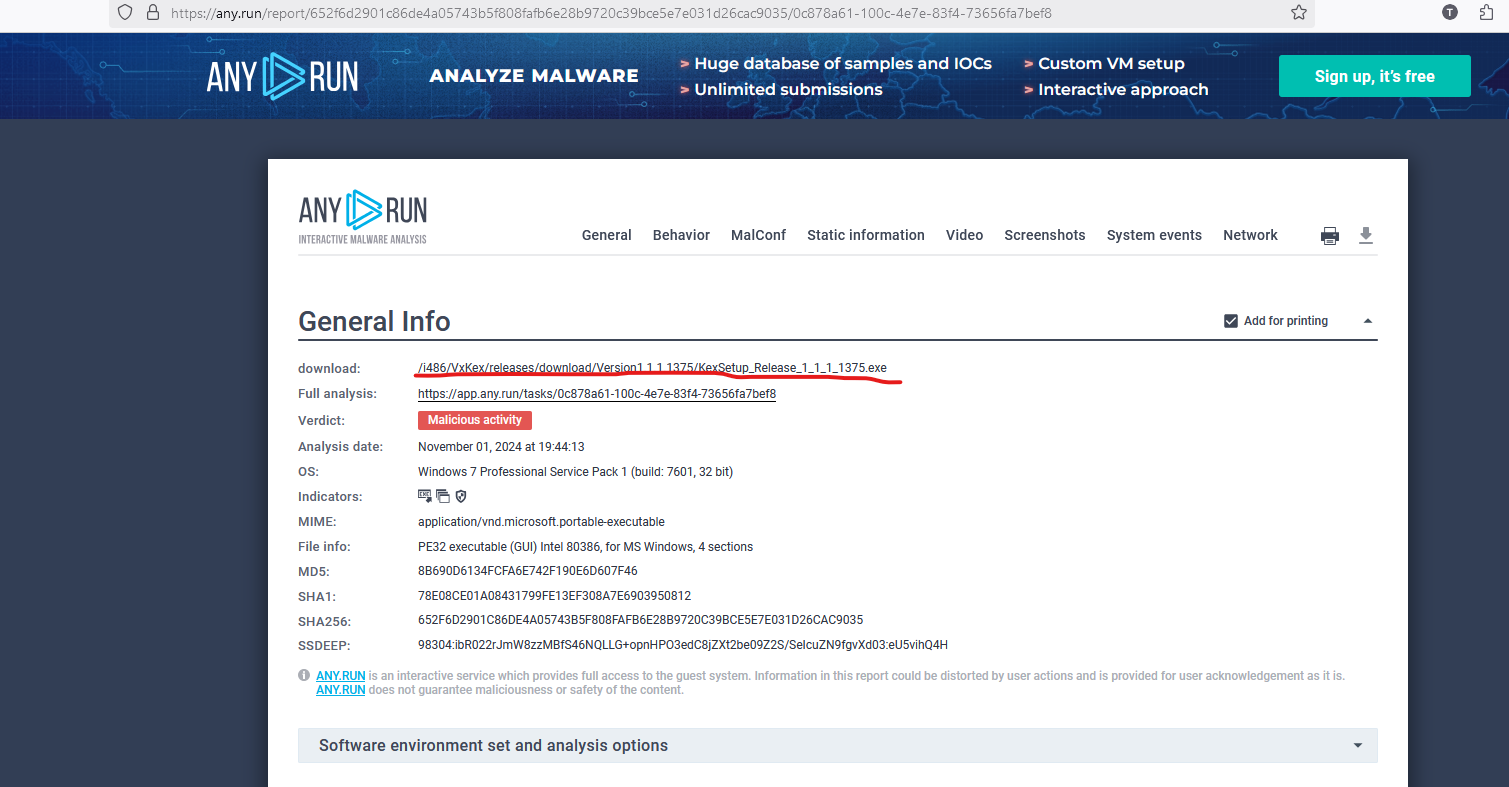
  2. app.run is a service that allows you to install suspicious software and determine if it is a virus. The link I posted belongs to address https://github.com/i486/VxKex.
  3. Now I don't know if the following things are normal: https://any.run/report/652f6d2901c86de4a05743b5f808fafb6e28b9720c39bce5e7e031d26cac9035/0c878a61-100c-4e7e-83f4-73656fa7bef8
  4. If I have enough time, I will definitely take a fork of the source code and continue developing it.
  5. I have reserved https://github.com/vxiiduu so that no more fraudsters can take advantage of it, I have put the original links from the Internet Archive.

Account

Navigation

Search

Search

Configure browser push notifications

Chrome (Android)
  1. Tap the lock icon next to the address bar.
  2. Tap Permissions → Notifications.
  3. Adjust your preference.
Chrome (Desktop)
  1. Click the padlock icon in the address bar.
  2. Select Site settings.
  3. Find Notifications and adjust your preference.