-
How do you add the Everything Toolbar to StartAllBack? I used to have it loaded but needed to reload everything, and now I can not figure out how to load it as a toolbar. Thanks
-
Is there anyway to pin a folder to the taskbar?
-
Is there a way to get the Widgets button to start at top (left) like it used to instead of the bottom (right)?
-
How can I transfer my license from one computer to another?
-
Note: I'm on 3.5.0. If I click on "Check for Updates" it says no updates are available. But if I click on www.startallback.com it shows that there is an update 3.5.1. Is this a bug?
-
Thanks, that worked. BTW, is there any way to rearrange the order of the Start Menu Right Side items? i.e. move an item up or down?
-
It would look something like this.
(Small).png.2d2d3120dbfe91191847e0d1b711be2e.png)
-
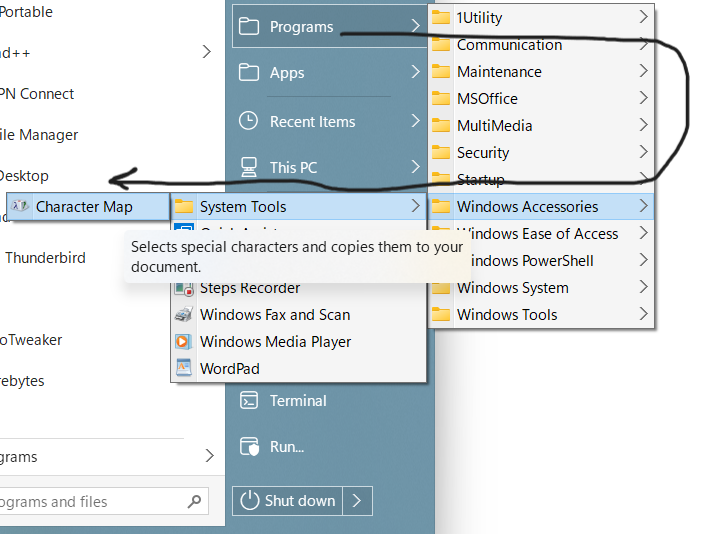
Is there any way to make the menu popouts always go to the right instead on opening to the right and then opening to the left?