-
JFX, Greetings! Where can I find the full list of all capabilities and features of an ini file for the latest version of WinNTSetup?
-
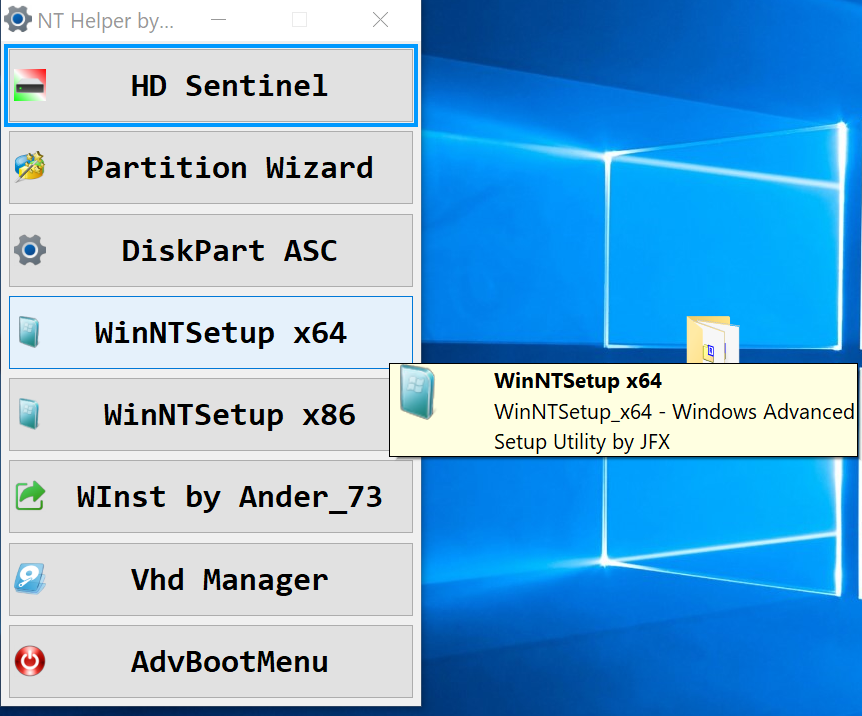
I updated my toolpack NTHelper AiO
-
Yes, there was error. I correct it here: Win7-11-Auto.xml
-
JFX, can you publish autounattend.xml for win 10, 11 with disabled bitlocker automatic on, and full unattended setup without asking anything? Thanks in advance. For making things easy i did this file, but not sure if everythink is good to work Win7-11-Automatic.xml
-
JFX is the best!
-
Defender removed. I think nothing more needed. Just restart.
-
Antonino, clicking on 1. it uninstalls / removes all defender services and files. There will be then two option- makes a backup of defender or not. If selfdefence is on, it opens defender settings tab and automatically set all boxes to off. Then start removal process. After restarting there will be no defender at all.
-
Antonino, I use it nearly 10 times per day on Win10 & 11 and everything works fine. There is no viruses inside. Yes, I used many russion tools, and some of them are super. I have many russion friends and some of them are genius just as respectable JFX. And one more update - NTHelper
-
I see. There is another way to remove windows defender for sure in running systems - DefenderKiller. Works perfect. JFX, I tested Windows 10 and Windows 11 original with checking defender disable tweak - works perfect.
-
JFX, ill make an repack exe from your codes using advancedrun.exe, and try to stop windows defender in win11 latest version. After starting it and restarting the PC, only upper option of defender was started, and all 3 other options of defender was stopped sucsessfully. May be we needs something little more to stop it completely.
-
Yes, this will be very usefull
-
Thanks, seems usefull PS: I try but noting import in .txt found with scanfiles.cmd Maybe better include ability scanning for sources in next version of WinNTSetup?
-
JFX, is there a way to write directory for searching wim files sources via ini file, or some other way? For example i use 2 part flash drive and in second NTFS part i have \sources folder with various folders inside with wim files. But when i press button for wim source it opens just current folder
-
NTHelper.zip
-
NTHelper - The kit collects utilities for checking the status of disks, managing partitions, preparing disks using ready-made disk part scripts, as well as working with VHD virtual disks. Installation is carried out either with the original WinNTSetup, or with WInst as an alternative option. The kit makes it possible to fix problems with loading (bootice, WInst). Can be used both in WinPE and on a live system. More tools on http://nelegal-edition.ru/