Skip to content
View in the app

A better way to browse. Learn more.

MSFN

A full-screen app on your home screen with push notifications, badges and more.

To install this app on iOS and iPadOS
  1. Tap the Share icon in Safari
  2. Scroll the menu and tap Add to Home Screen.
  3. Tap Add in the top-right corner.
To install this app on Android
  1. Tap the 3-dot menu (⋮) in the top-right corner of the browser.
  2. Tap Add to Home screen or Install app.
  3. Confirm by tapping Install.

nuclear0508

Member
  • Joined

  • Last visited

  • Country

    Vietnam
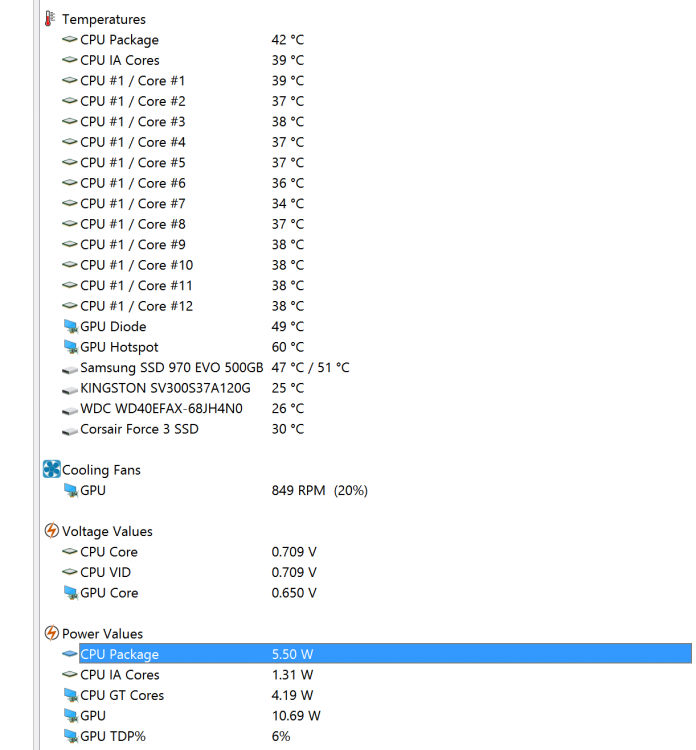
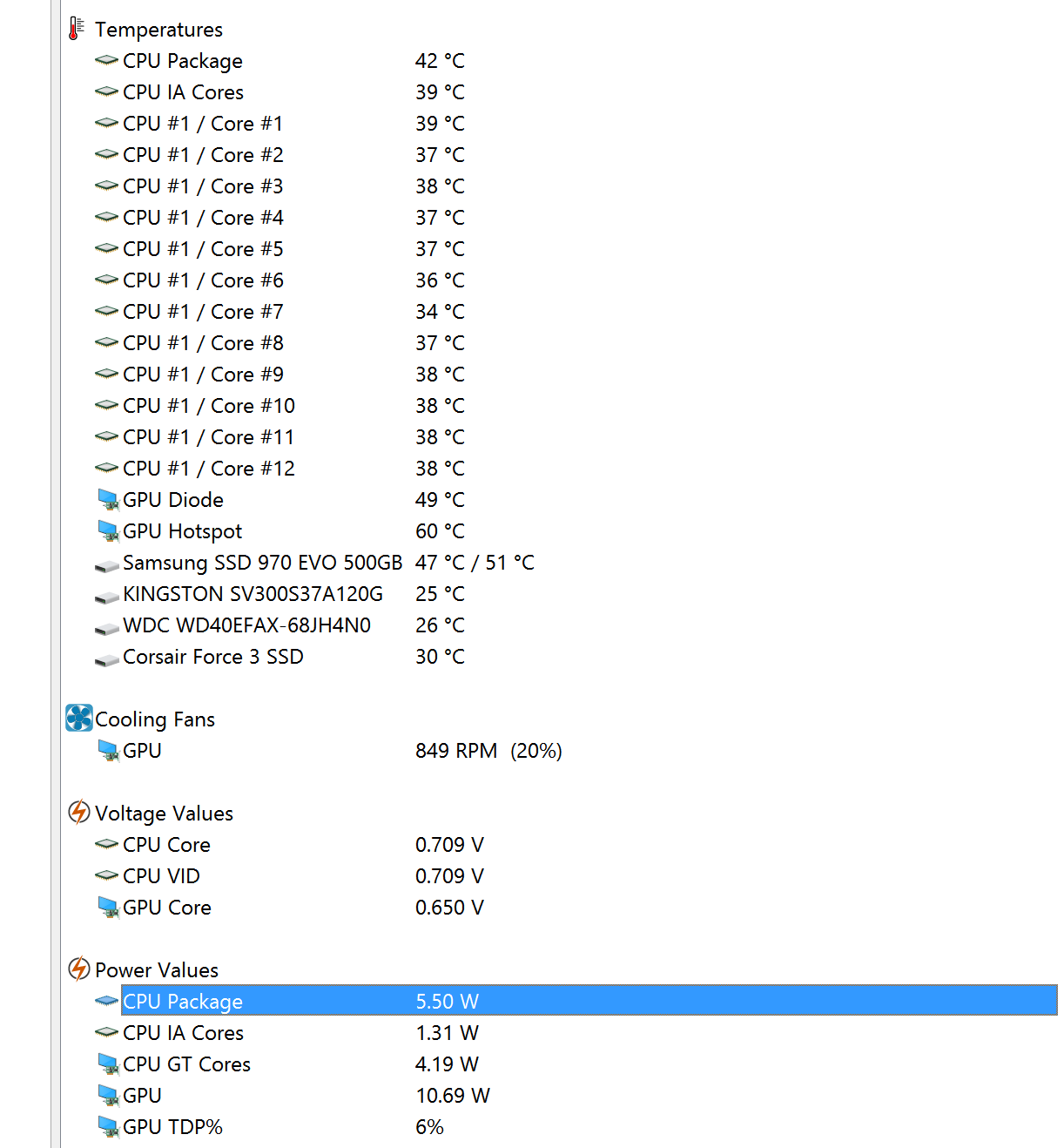
  1. ThrottleStop really makes a difference! The CPU power reduce to 10W that's acceptable for me. I enabled C1E. Thank you very much for the solution.
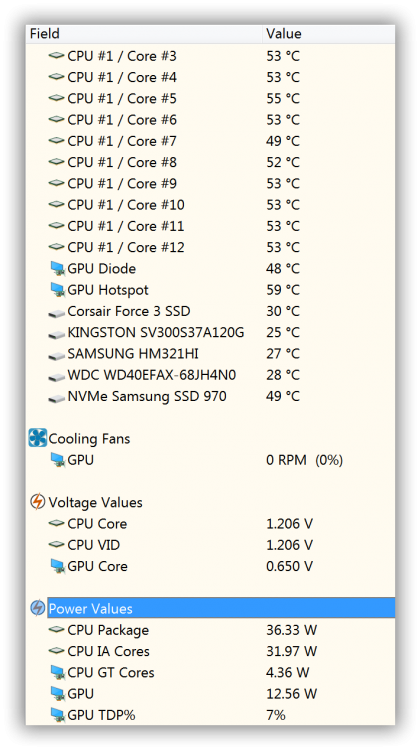
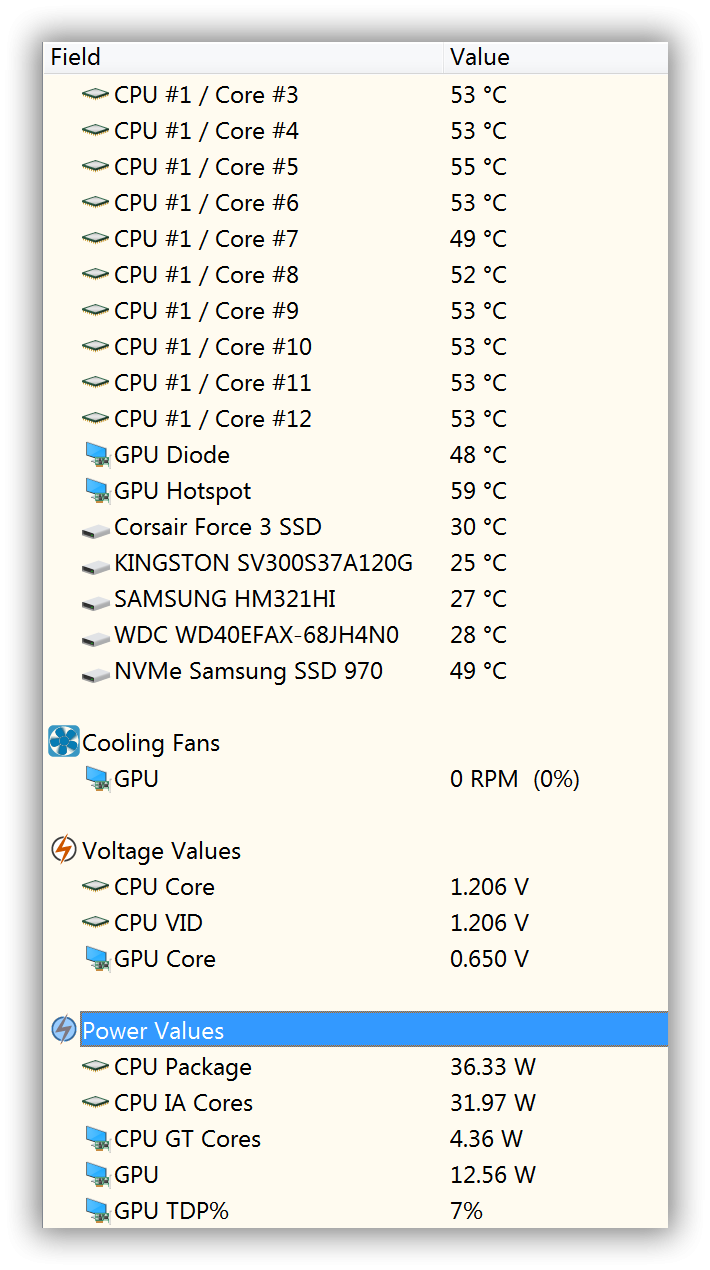
  2. Hello guys, I've managed to install Windows 7 SP1 on Asus mainboard with B660 chipset. CPU is i7-12700F. It works fine but one issue with power consumptions. The CPU power reported by Aida64 software is constantly above 30W, even when there is no load on the system. I install windows 8.1 & not having that issue. I also check power consumption with external device and same result, 90W compare to 60W on Windows 8. CPU temperature is also higher. Any idea on how to solve this problem. I really want to run Windows 7. Thank you!

Account

Navigation

Search

Search

Configure browser push notifications

Chrome (Android)
  1. Tap the lock icon next to the address bar.
  2. Tap Permissions → Notifications.
  3. Adjust your preference.
Chrome (Desktop)
  1. Click the padlock icon in the address bar.
  2. Select Site settings.
  3. Find Notifications and adjust your preference.