



Skip to content
View in the app

A better way to browse. Learn more.

MSFN

A full-screen app on your home screen with push notifications, badges and more.

To install this app on iOS and iPadOS
  1. Tap the Share icon in Safari
  2. Scroll the menu and tap Add to Home Screen.
  3. Tap Add in the top-right corner.
To install this app on Android
  1. Tap the 3-dot menu (⋮) in the top-right corner of the browser.
  2. Tap Add to Home screen or Install app.
  3. Confirm by tapping Install.

knjor

Member
  • Joined

  • Last visited

  • Country

    Egypt
  1. hi can i Edit language of a project created by WPI for example i have an iso for many software created by WPI but i can't understand it's language can i edit it to be in English and keep all other things as it as thanks
  2. thanks for your reply can you please tell me the best partition of my drive to work without problem can i install win 7 and win 10 " dual boot windows " by WinNTSetup many thanks for your help
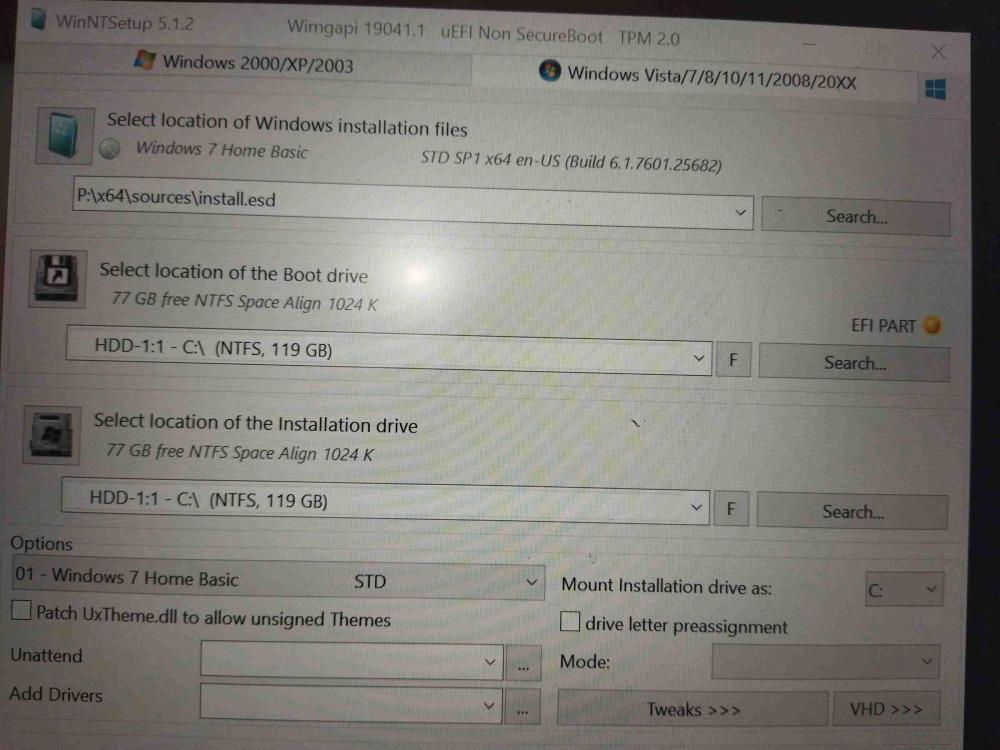
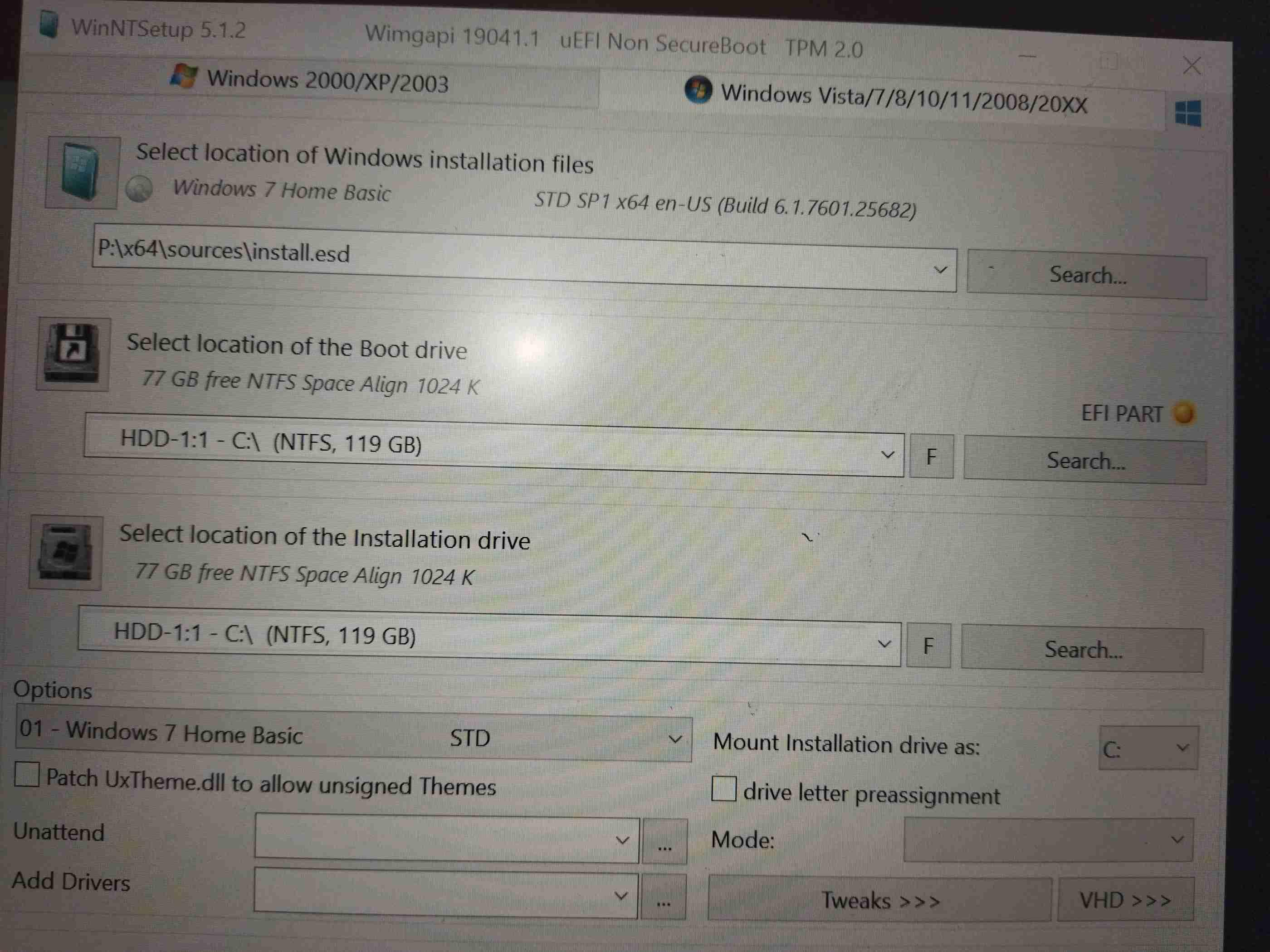
  3. hello i am using the last version to install win 7 on GPT HDD with UEFI only after restart it doesn't complete the installation and show there is no system installed and need to install new windows i think the problem that EFI PART is yellow how i can fix that to complete installation thanks
Account

Navigation

Configure browser push notifications

Chrome (Android)
  1. Tap the lock icon next to the address bar.
  2. Tap Permissions → Notifications.
  3. Adjust your preference.
Chrome (Desktop)
  1. Click the padlock icon in the address bar.
  2. Select Site settings.
  3. Find Notifications and adjust your preference.