Skip to content
View in the app

A better way to browse. Learn more.

MSFN

A full-screen app on your home screen with push notifications, badges and more.

To install this app on iOS and iPadOS
  1. Tap the Share icon in Safari
  2. Scroll the menu and tap Add to Home Screen.
  3. Tap Add in the top-right corner.
To install this app on Android
  1. Tap the 3-dot menu (⋮) in the top-right corner of the browser.
  2. Tap Add to Home screen or Install app.
  3. Confirm by tapping Install.

comfortador

Member
  • Joined

  • Last visited

  • Country

    United States

Everything posted by comfortador

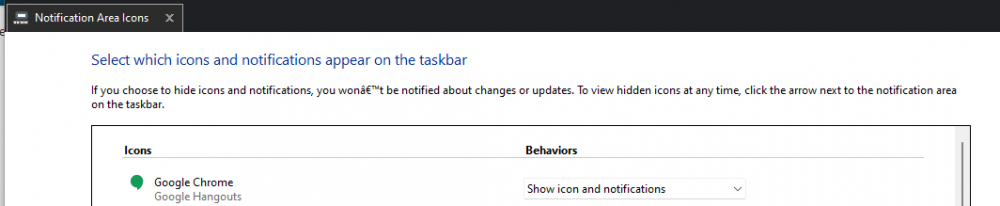
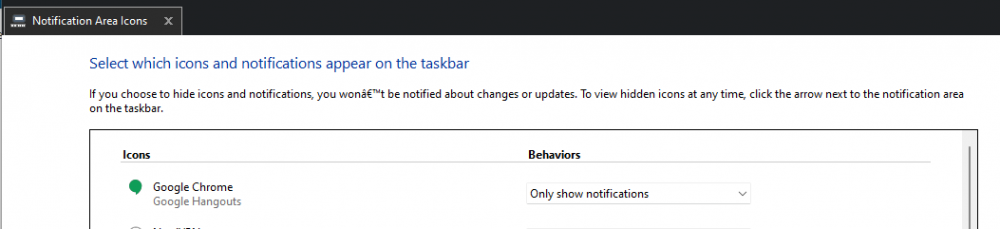
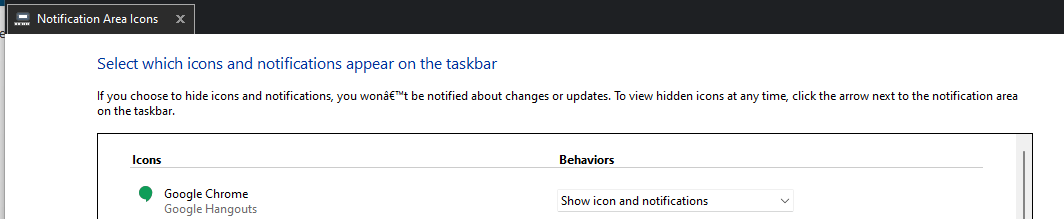
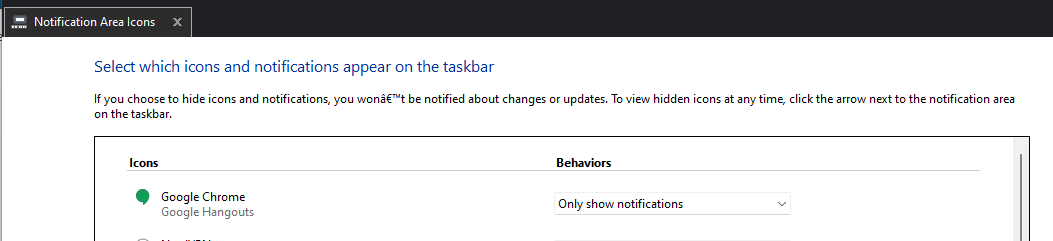
  1. I'm having an issue with Start11 where the Google Hangouts notification icon keeps hiding itself, after I have set it to Show Icon and Notifications in Start11's "Customize notification icons" option. I set it to always show, and it does for a while. I'm not sure if it's after sleep mode or rebooting, or just a certain amount of time regardless of what I'm doing, but eventually it sets itself back to Only Show Notifications. I wind up changing this at least once a day, if not more. Any idea why this one icon keeps doing that?


Account

Navigation

Configure browser push notifications

Chrome (Android)
  1. Tap the lock icon next to the address bar.
  2. Tap Permissions → Notifications.
  3. Adjust your preference.
Chrome (Desktop)
  1. Click the padlock icon in the address bar.
  2. Select Site settings.
  3. Find Notifications and adjust your preference.