




-
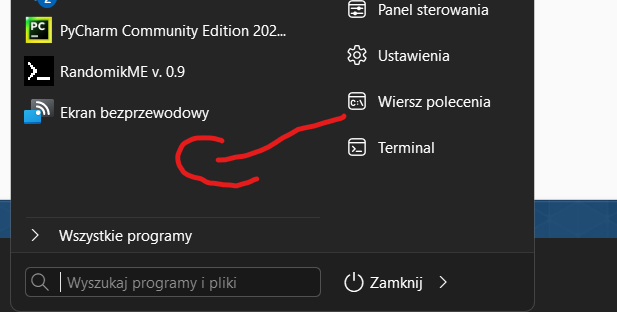
Hi I have a problem, I can't pin shortcut to o file to the start menu, for example by draging it to the start menu. I know that It can be done, because I already have some shortcut to a files in my start menu that I made long time ago. But I don't remember how i did that, if there was some trick to do that or what. Now I'm not able to do that I'm talking about the left side of the start menu when You open it :)
-
Hi I have a problem, I ca't pin shortcut to o file to the start menu, for example by draging it to the start menu. I know that It can be done, because I already have some shortcut to a files in my start menu that I made long time ago. But I don't remember how i did that, if there was some trick to do that or what. Now I'm not able to do that I'm talking about the left side of the start menu when You open it :)
-
or maybe add some style to styles folder that can do that, like copy the one from startallback with only changes beeing color
-
So maybe is there any way to change it, for example in resource hacker?
-
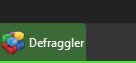
Hi I wanted to change taskbar progress bar from green to blue, I'm assuimng that this info is storred in msstyles, but I can't find default one, only plain8 and windows7, where I can change it?
-
Hi, after installing 22h2 whenewer I open my PC or Windows exploler, start is back rebooting, and I can't get Into exploler
-
Hi, how to remove this goddamn item from control panel? https://i.imgur.com/c9pfdXu.png
-
Tahnks! That was it, I didn't expected for info about update in notifications area, I thought it will pop up some window within an app itself. But right I had my notifications turned off, now it's working
-
Check for updates button does nothing for me, when I click it nothing happens...