.jpg.cf0ac7895238444c46736ff27931aaa5.jpg)
Everything posted by ruvlad
-
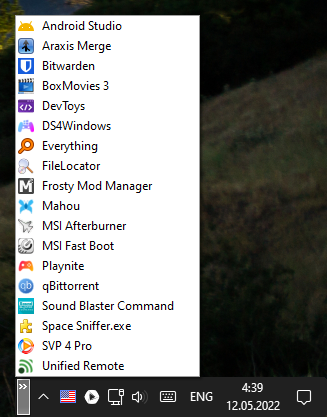
Hello again. Can you add the 'Show WSA Apps in folder' feature for Start menu? WSA = Windows Subsystem for Android These shortcuts are located in 'All Apps' (C:\Users\[USERNAME]\AppData\Roaming\Microsoft\Windows\Start Menu\Programs) and have the following syntax: C:\Users\[USERNAME]\AppData\Local\Microsoft\WindowsApps\MicrosoftCorporationII.WindowsSubsystemForAndroid_[SOME-DIGITS]\WsaClient.exe /launch wsa://[PACKAGE-NAME] E.g. C:\Users\Vlad\AppData\Local\Microsoft\WindowsApps\MicrosoftCorporationII.WindowsSubsystemForAndroid_8wekyb3d8bbwe\WsaClient.exe /launch wsa://jp.ddo.hotmist.unicodepad
-
1) StartAllBack 3.4.2 and 3.4.3 results in Explorer.exe restarts when making a Win+Tab combination, is there a workaround? For now this is solved if you completely remove SAB from startup list. (Windows 11 Beta Channel, 22621.* = RTM) 2) You may have missed the report that the taskbar’s custom toolbar doesn't have a dark theme
-
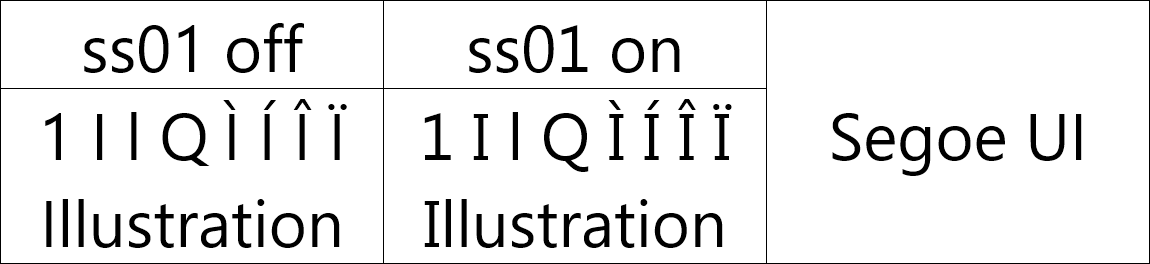
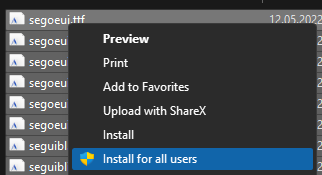
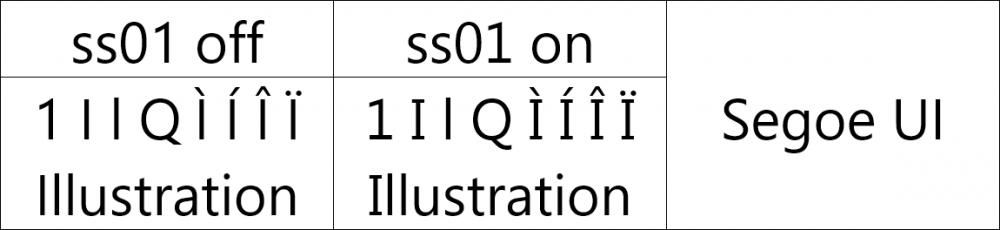
Probably the implementation of this feature would require forced baking "ss01" into a separate font (by default) and embedding it into the app, which AFAIK cannot be done due to the license restrictions of Microsoft's Segoe UI font. So, I decided to bake these fonts myself and upload them here, maybe it will be useful to someone: https://mega.nz/folder/HK4gWCpZ#Zu3VQQ8_sgGzaKnpaKwDaA Install these fonts (in segoeui_ss01.zip) via "Install for all users" button. Can I ask you to repaint one more thing? When I create a toolbar through this menu my custom toolbar's pop-up doesn't use a dark scheme

-
3.3.9c. The scrollbar while copying files is still in the light theme. Is it "wontfix"?

-
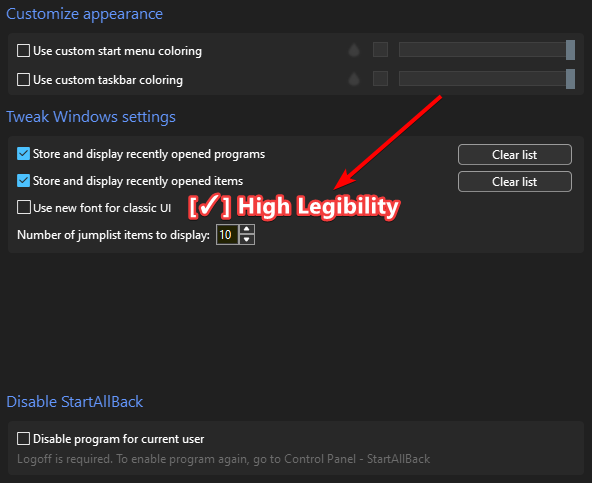
[Suggestion] Can you add a "High Legibility" option (similar to macOS System Font High-Legibility Alternates) that will activate original Segoe UI font's "ss01" feature to render more distinguishable glyphs? P.S. This glyph construction was by default in the first builds of new "Segoe UI Variable" font (it can be seen in Windows 11 teaser), but this was abandoned in the current versions.
-
Is it possible in the future to have a Start button directly to the left of pinned apps with "Centered task icons" tweak? (as in W11 taskbar)
-
I confirm this issue on my PC. Also about this new option: you have selected the Display variant, which as the name says it’s intended for large sizes. You should replace the old Segoe static font with Segoe UI Variable Text. Otherwise, the fonts look worse because of the selected font family.
-
Bug report (Preview 1) Media buttons from window preview freezes (getting stuck) when hovering preview of other windows, but only in Default style (Windows 11), there are no such problem in Plain8 and Windows 7 styles. Video
.thumb.jpg.a5716e85b640d5b8ed7d28c36df53f6a.jpg)