Skip to content
View in the app

A better way to browse. Learn more.

MSFN

A full-screen app on your home screen with push notifications, badges and more.

To install this app on iOS and iPadOS
  1. Tap the Share icon in Safari
  2. Scroll the menu and tap Add to Home Screen.
  3. Tap Add in the top-right corner.
To install this app on Android
  1. Tap the 3-dot menu (⋮) in the top-right corner of the browser.
  2. Tap Add to Home screen or Install app.
  3. Confirm by tapping Install.

baz_baz

Member
  • Joined

  • Last visited

  • Country

    Greece
  1. I found drivers that unofficially work on Vista 1000 series, should I buy a new gtx 1000 series gpu?
  2. I will not be at home for the next 10 days, when I come back I will reply. Also I think that the GTX 980 Ti is my best option..
  3. Thats how far I managed to go, what should I do now?
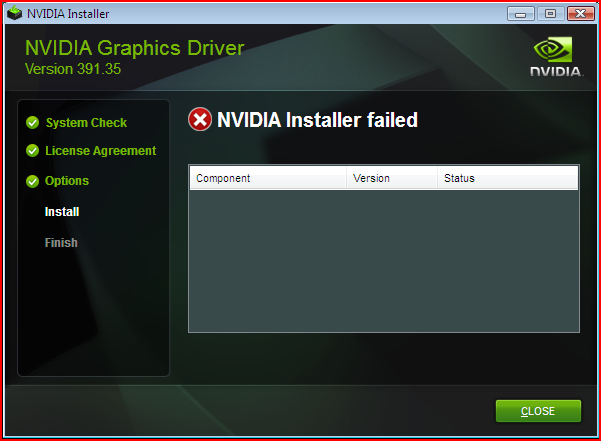
  4. thanks i will try to find a way to do it but if anyone could help me i would appreciate it
  5. baz_baz changed their profile photo
  6. PC : CPU: Ryzen 2600 GPU: Nvidia Geforce 1660 Super RAM: 8 GB OS: Windows Vista Ultimate x64 I tried installing drivers for my graphics card from nvidia but they support windows 7 or windows 10 and I want you to help me find drivers for my gpu. plz

Account

Navigation

Search

Search

Configure browser push notifications

Chrome (Android)
  1. Tap the lock icon next to the address bar.
  2. Tap Permissions → Notifications.
  3. Adjust your preference.
Chrome (Desktop)
  1. Click the padlock icon in the address bar.
  2. Select Site settings.
  3. Find Notifications and adjust your preference.