-
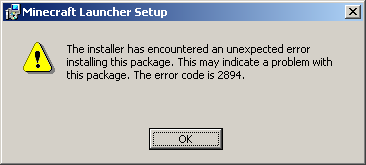
I have ran into some problems installing the kernel extention and I thought that this would be the best place to mention them. so I'll start with where I got and what I got. I installed all the necessary updates (so all the official ones and some of the other patches). the hardware I got is fx series CPU (fx-8120) 8GB ram 1TB Hdd for the operating system Nvidia 8800GTS graphics card asus motherboard m5a95 micro-atx windows 2000 advanced server. so now that I mentioned all the potentially important information here is the problem i've been having when I install the v30e update it breaks the part of the system that lets you login, I think that is the local domain(could be wrong though). that makes it so I have to reinstall the operating system. the second problem I run into is msi files don't work. maybe there is something i'm missing, but the msi files that worked on a out of the box install, don't work anymore. I would attach the error message but i'm not in front of that computer at the moment but I will attach it. it says that the error code is 2894 as shown in the image anything that uses MSIexec doesn't work. if there is a work around let me know I figured it out it was missing c++ librarys msvcr90.dll was missing and I diden't know that was the problem. the V30eG (game guard bug fix) version of the update does install and not break the local login domain. I just thought I would bring it up just in case nobody knew this was an issue. I like this kernel extension keep up the great work!