-
-
Here is the log from DbgView.exe directly after installing version 1.1.8.5 with all options unchecked: [11120] onecoreuap\inetcore\urlmon\zones\zoneidentifier.cxx(359)\urlmon.dll!7190F1B0: (caller: 7190EF78) ReturnHr(1) tid(91c) 80070002 The system cannot find the file specified. [13096] onecoreuap\shell\lib\bindctx.cpp(128)\explorerframe.dll!00007FFA6853377F: (caller: 00007FFA6850AA6F) ReturnHr(30) tid(3b74) 80070057 The parameter is incorrect. [9060] onecore\ds\security\umstartup\usermgr\cli\usermgrcli.cxx(149)\usermgrcli.dll!00007FFA6AA5EA30: (caller: 00007FFA6AA5EA30) ReturnHr(115) tid(43bc) 80070005 Access is denied. [9060] onecoreuap\base\appmodel\execmodel\modern\lifetimemanager\appxexecutionutil.cpp(74)\modernexecserver.dll!00007FFA6AA5EAE7: (caller: 00007FFA6AA37A5F) ReturnHr(138) tid(43bc) 80070005 Access is denied. [9060] onecore\ds\security\umstartup\usermgr\cli\usermgrcli.cxx(149)\usermgrcli.dll!00007FFA6AA5EA30: (caller: 00007FFA6AA5EA30) ReturnHr(116) tid(43bc) 80070005 Access is denied. [9060] onecoreuap\base\appmodel\execmodel\modern\lifetimemanager\appxexecutionutil.cpp(74)\modernexecserver.dll!00007FFA6AA5EAE7: (caller: 00007FFA6AA37A5F) ReturnHr(139) tid(43bc) 80070005 Access is denied.
-
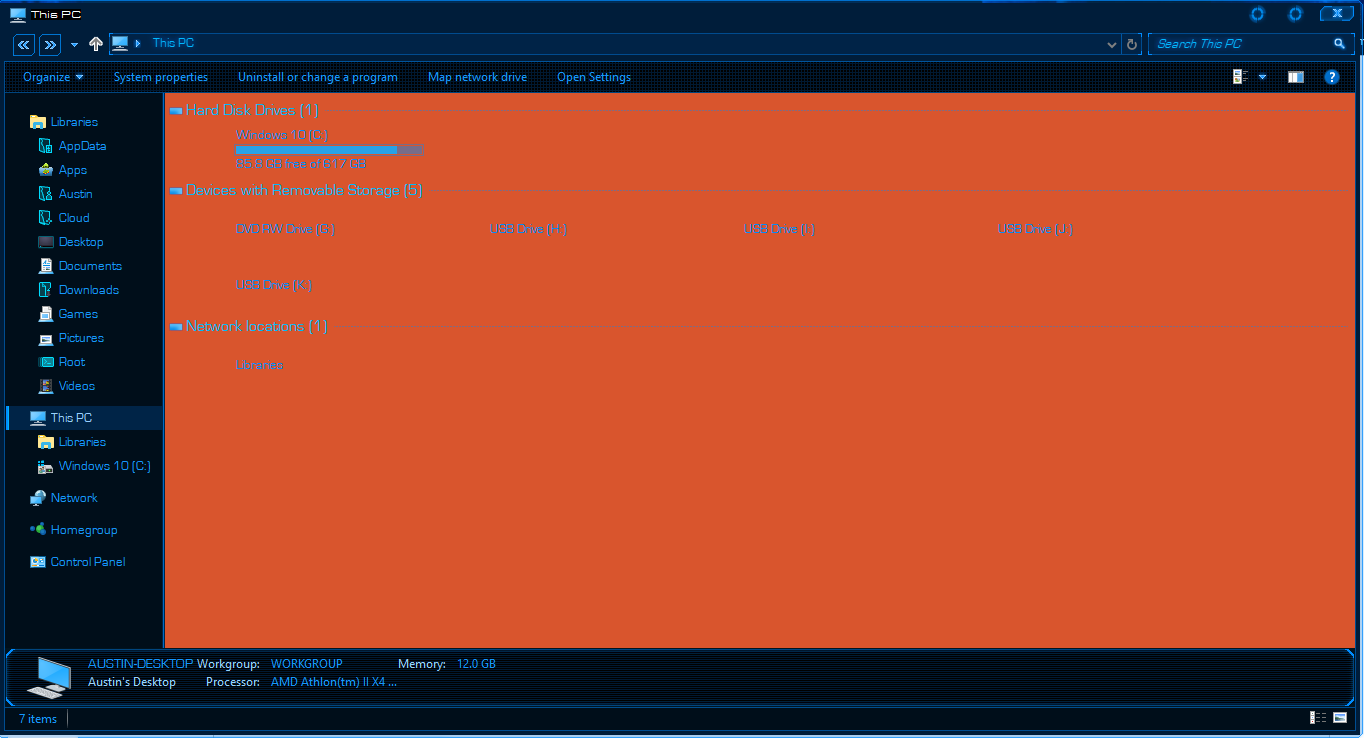
It does not show up orange, and neither do any of the other options. Yes the included patcher is outdated, I have the same one installed as you linked. Classic Shell may be canceling out the orange affect of OldNewExplorer though as I see in your screenshot.
-
I'm using OldNewExplorer with this Windows 10 SkinPack: https://skinpacks.com/download/windows-7/jarvis-skinpack/ The file explorer becomes orange when OldNewExplorer is installed though. It should be dark blue, is there any way to fix this?