



Skip to content
View in the app

A better way to browse. Learn more.

MSFN

A full-screen app on your home screen with push notifications, badges and more.

To install this app on iOS and iPadOS
  1. Tap the Share icon in Safari
  2. Scroll the menu and tap Add to Home Screen.
  3. Tap Add in the top-right corner.
To install this app on Android
  1. Tap the 3-dot menu (⋮) in the top-right corner of the browser.
  2. Tap Add to Home screen or Install app.
  3. Confirm by tapping Install.

seires

Member
  • Joined

  • Last visited

  • Country

    Canada

Everything posted by seires

  1. Ok I'll leave it as is. This is the best multiboot! I've tried a few prior like Yumi but wouldn't work with slipstreamed 7 and no multiple Windows. The only minor inconvenience is it seems you have to rebuild if you want to update a source like antivirus rescue cd?
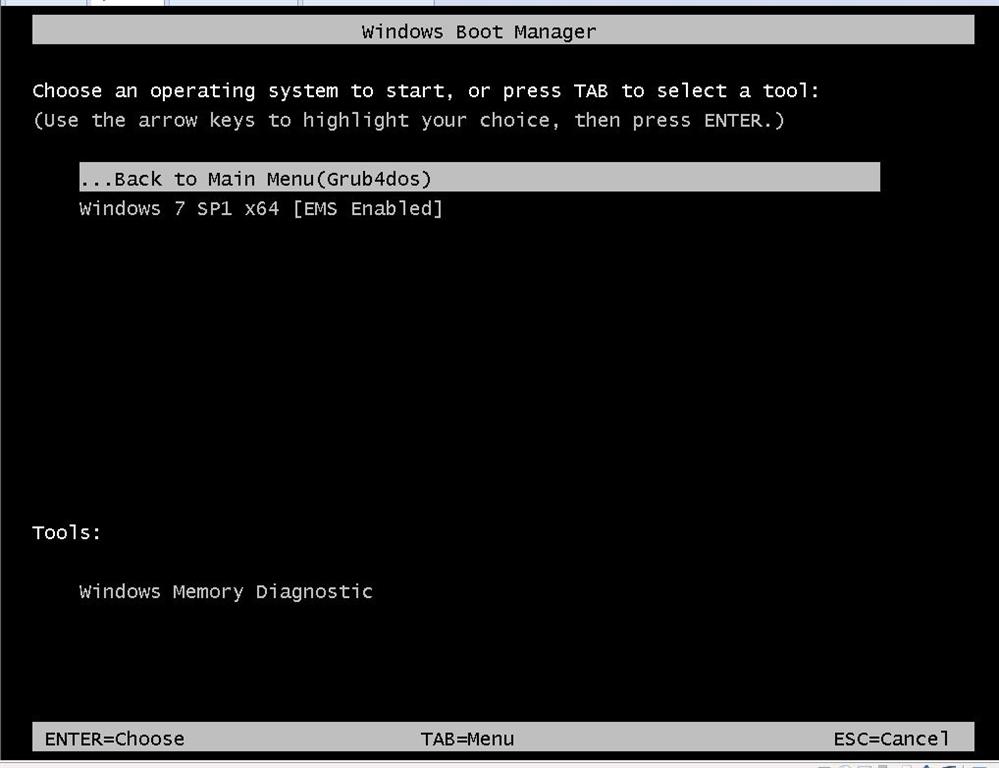
  2. Thanks for this! Have a question. I notice "[EMS Enabled]" beside the Windows 7 option in Windows Boot Manager setup screen. How do I remove EMS or disable?
Account

Navigation

Configure browser push notifications

Chrome (Android)
  1. Tap the lock icon next to the address bar.
  2. Tap Permissions → Notifications.
  3. Adjust your preference.
Chrome (Desktop)
  1. Click the padlock icon in the address bar.
  2. Select Site settings.
  3. Find Notifications and adjust your preference.