Skip to content
View in the app

A better way to browse. Learn more.

MSFN

A full-screen app on your home screen with push notifications, badges and more.

To install this app on iOS and iPadOS
  1. Tap the Share icon in Safari
  2. Scroll the menu and tap Add to Home Screen.
  3. Tap Add in the top-right corner.
To install this app on Android
  1. Tap the 3-dot menu (⋮) in the top-right corner of the browser.
  2. Tap Add to Home screen or Install app.
  3. Confirm by tapping Install.

gaberilde

Member
  • Joined

  • Last visited

  • Country

    United Kingdom
  1. easist way to get audio support in windows pe?
  2. i have an iso of that but why are you telling me about driver intergration how do you get it
  3. what do you mean driver intergration plugin i dont even have it i dont think can u give me an installer link
  4. In windows 8 pe se how can I get Artheos network wireless working Sorry about it being 4 posted my iPad is being stupid
  5. evidently dencorso's crystall ball needs to be completely overhauled as unlike mine (which needing some fine tuning could not see details as I was expecting) his one provides WRONG details. Yes , seemingly the one in the top left corner is a screw holding the hard disk in place. If you post the actual laptop model, possibly a better photo and disassembling instructions can be found. jaclaz i just did that and pulled it out now the laptops on and it isnt booting with clicking noises or slowly
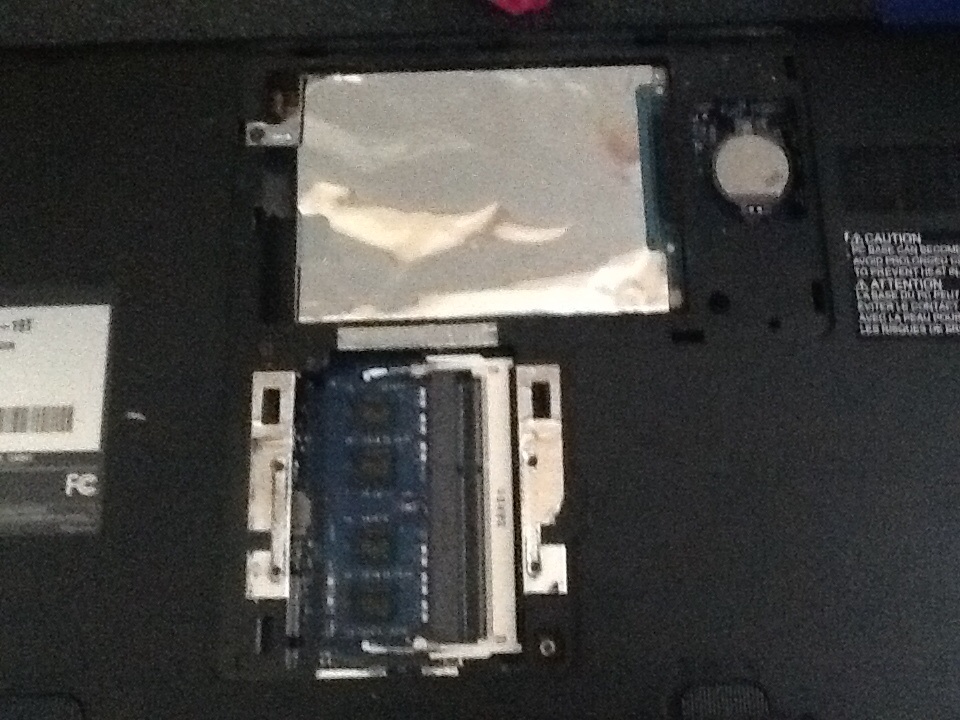
  6. Here's a photo of the laptop needs the hard drive taken out do I remove the screw by the bit white thing that's the hard drive
  7. What one is the power cable
  8. I got it booting from the usb but when i boot the usb it turns on the internal hard drive and I forgot to tell u it's about dead and it's interrupting the boot I wondered if I can modify windows pe to not turn on the internal hard drive at boot
  9. i have win8.1 pe se on a usb how can i change it to not acess the hard drive?

Account

Navigation

Search

Search

Configure browser push notifications

Chrome (Android)
  1. Tap the lock icon next to the address bar.
  2. Tap Permissions → Notifications.
  3. Adjust your preference.
Chrome (Desktop)
  1. Click the padlock icon in the address bar.
  2. Select Site settings.
  3. Find Notifications and adjust your preference.