



Skip to content
View in the app

A better way to browse. Learn more.

MSFN

A full-screen app on your home screen with push notifications, badges and more.

To install this app on iOS and iPadOS
  1. Tap the Share icon in Safari
  2. Scroll the menu and tap Add to Home Screen.
  3. Tap Add in the top-right corner.
To install this app on Android
  1. Tap the 3-dot menu (⋮) in the top-right corner of the browser.
  2. Tap Add to Home screen or Install app.
  3. Confirm by tapping Install.

bios83

Member

Everything posted by bios83

  1. install.xml
  2. Thanks, has cleaned tick VHD, all has earned. install.xml: Deployment Image Servicing and Management toolVersion: 6.3.9600.17029 Details for image : D:\install.esd Index : 1Name : Windows 8.1 ProDescription : Windows 8.1 ProSize : 3я939я052я716 bytes Index : 2Name : Windows 8.1 ProDescription : Windows 8.1 ProSize : 2я280я172я954 bytes The operation completed successfully.
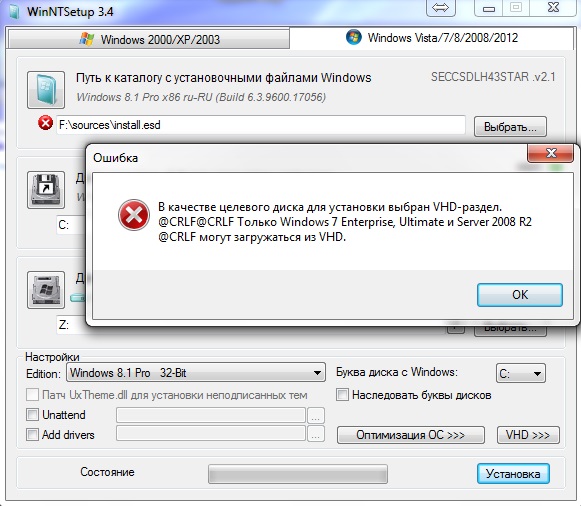
  3. At attempt to establish Windows 8.1 Micro assemblage in VHD gives out an error. How to eliminate and why there is an error?
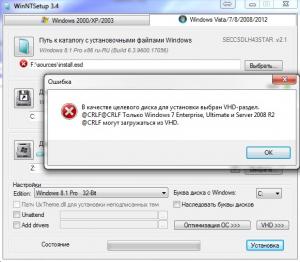
  4. It is possible to make installation Windows 8.1, in file VHD. Please, very much it is necessary.
Account

Navigation

Configure browser push notifications

Chrome (Android)
  1. Tap the lock icon next to the address bar.
  2. Tap Permissions → Notifications.
  3. Adjust your preference.
Chrome (Desktop)
  1. Click the padlock icon in the address bar.
  2. Select Site settings.
  3. Find Notifications and adjust your preference.