zjxls
Content Type
Profiles
Forums
Events
Everything posted by zjxls
-
Guess it is still the way to go!!!
-
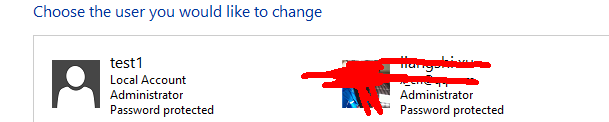
thanks much for the reply!. I was in administrator account, and now i create a new account and i gave the account administrator control(from microsoft manage console), log into that new account. Now the windows installer service doesnt gray out anymore, but the others remain the same. i am not sure if this is what you want me to do -.-

-
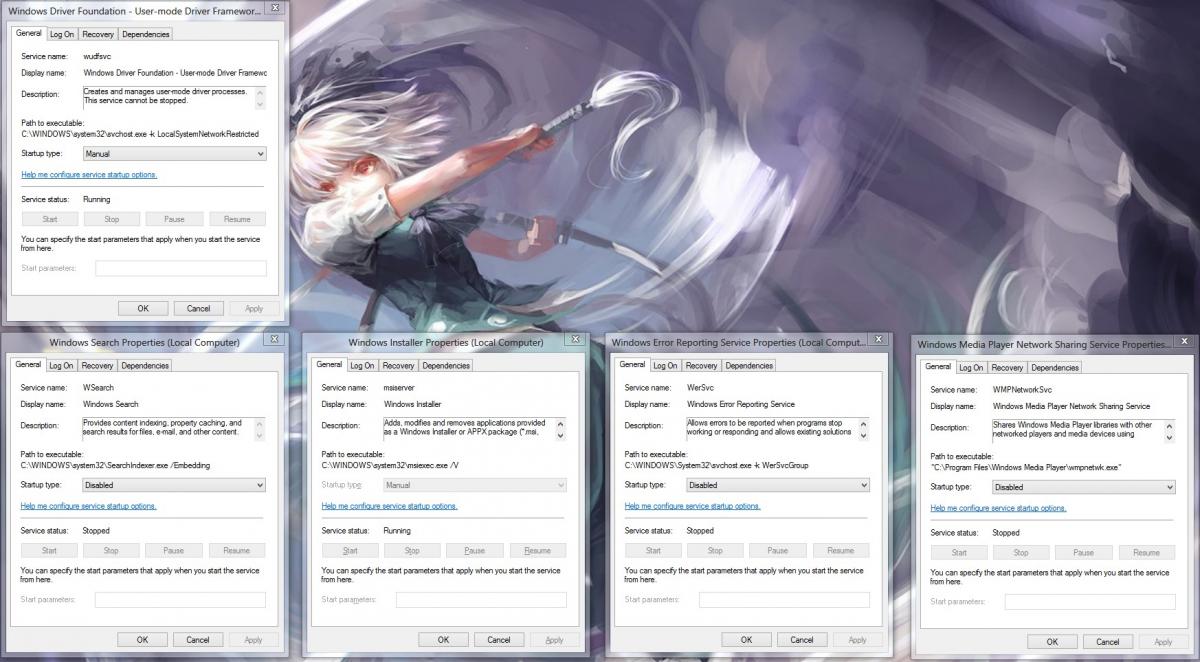
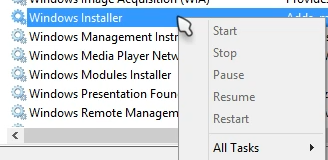
Windows Driver Foundation Windows Search Windows Installer Windows Error Reporting Service and Windows Defender is even gone from the services.list they are all grayed out in right click menu. Rather than worry about how to start or stop those service, I want to know why is it like this, or is it even supposed to be like it. Did they get infected by malvware? I do have some "cleaning" program "helps clean the PC" I think these program are really suspicious.
-
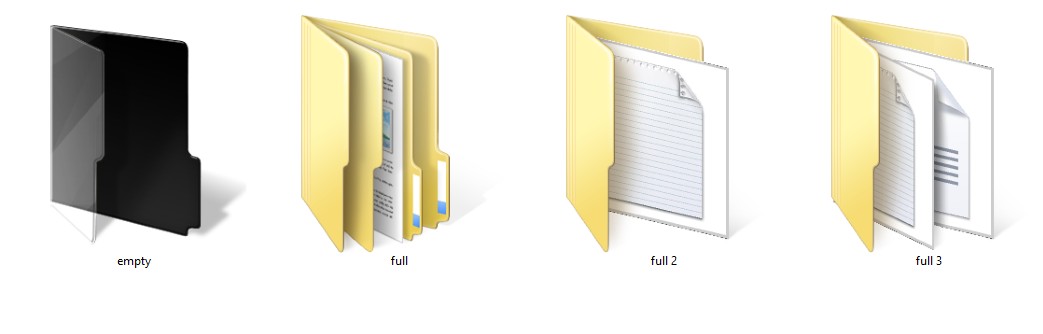
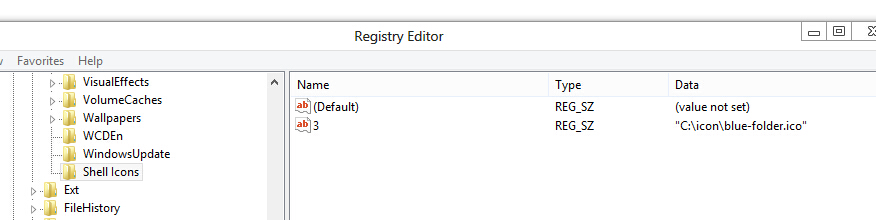
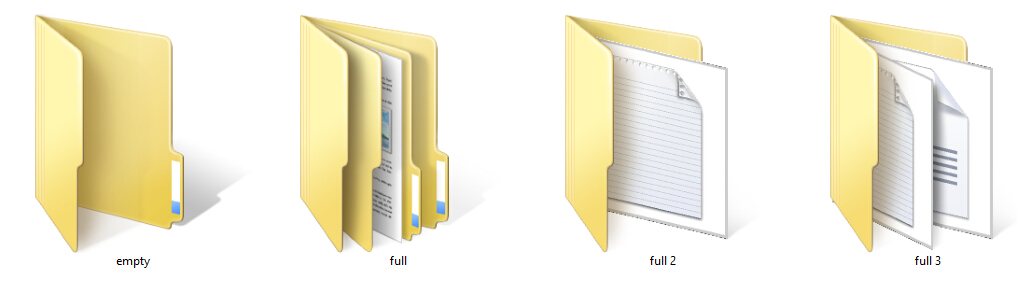
 Before editing: Empty : nothing in it Full: only one folder in it Full2: 1 non-folder file in it Full3: 2 non-folder files in it <*spoiler*>by changing registry value: <*/spoiler*> After editing: Only the Empty folder icon gets changed. For any other types of folder icon, they are not changed. Conclusion: The windows folder icon is dynamic. Rather than changing itself from "image" to "image", it actually "deviants" itself with the file inside. And I really do not want to turn off thumbnail view for folders...... Question: 1, How can I make the other 3 types of folder change as well? since the folder doesn't actually change if you look carefully. They just got overlaid by those thumbnails. 2, Where can I find information about how the folder icon works(or thumbnail works)? I am sure that it is not as simple as changing the icon entirely when a folder is made/modified. Specs: -Thanks for reply
-
through that link, i managed to turn that logo off, does that mean something? Maybe that i can't update in Test mode? thanks for the helps so far, i think Noel is right, i'd better stop wasting your guys time here, clean installed will make us all much easier life. Thanks for your help! I think I give up for now. I appreciate all the people that put time into read this thread.
-
this is the DVD that i bought look like. I have lost it....
-
thanks for the replies from MagicAndre1981 and bphlpt My windows states its activated. I bought this in retail store but i lost the key that came within it. So a friend of mine gave me a one which is working. Maybe its the issue with that key she gave me. i dont know where did she got it from, cos i was too excited to concern.
-
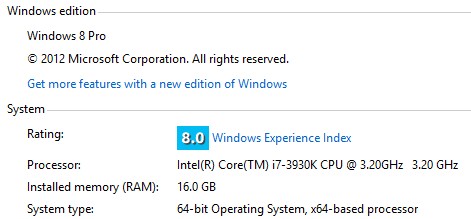
Hi it is my first time posting thread in MSFN, sorry if i did it in a wrong section. Windows 8.1 have been out for a while now, somehow i still can not my windows up to date. I was not paying too much attention when i did not get to the supposed page via the official method(go to store app), because of the fact that I get so used to not choosing update stuff after being using pirated windows for a long time. The problem I am having is the store page never shows up(http://i.imgur.com/fBm2bLQ.png like this). I do have the 2871389 and KB 2917499 updates installed. As it might be the problem to cause this stated here http://windows.microsoft.com/en-us/windows-8/why-can-t-find-update-store. Sometimes after log in screen, there will be a system message shows "get the windows 8.1 in store", and i clicked " go to store", it just leads me to the main page of store, and that is it. this is my windows. and there is "test mode Windows8 Pro build 9200" at the button right screen all time.
-
the msg still pops up. but it happens so rare. i dont get it....today, beside the start up one in the morning, one more pops out in the midnight just now. http://imgur.com/VIqhg67 my paypal address is [redacted] please check this out. One thing i am not sure. I have not verify my paypal address yet. Will that matter?
-
Open Personalize/Color and change Automatic setting to something else, and then set active color and in active color. NOTES: You may need to goto %userprofile%\AppData\Local\Microsoft\Windows\Themes and open the Custom theme with Notepad and find [VisualStyles] and change AutoColorization=1 TO AutoColorization=0 AND you may need to add your color number to ColorizationColor= thanks so much man!!!
-
i have auto change background enabled. Even thou I have set active color and in active color, every time the background changes, the color that i set will change as well. its not a complain, but is there a way to prevent it?
-
that program is old and not designed to work with newer versions of glass8, use this instead i just downloaded and dont know what to do. wish there is a video tutorial make it super easy...i am lazy... is that still a GUI as well? which means it require "important file" like those made by Big muscle?
-
I don't think that some special troubleshoot info is needed here, because all important information is already written on the website -> you just donate, then fill in the form, store downloaded file into your Aero Glass folder and restart. That's all. All problems which can appear are mostly caused by users who use some 3rd party softwares, change access privileges on Aero Glass folder or do some other non-standard things. Many users just try to invent some special procedures and then they are surprised that things do not work. But if some concrete information is missing on the website, just specify it and I have no problem to make the website complete then. many ppl will go like from: "ok need to donate(pop up happens)"----->>"how much should i donate?"------->> read though all page--------->>"there is a 3 euro rule"-------->>"can i just buy for 1 copy?"------>>cant find the price for just 1 copy------>>use paypal to pay----->>fill in the form and get the file. i waited till the pop up pops out for the second time for like ..i dont know, very long time......to just get the machine code.. anyway......it still pops out but seems like just for once after i reboot into desktop....after that, never appears again( at least for 2 hrs now) After all, thanks for the awesome program and the effort you put into.
-
i am use the GUI from http://www.msfn.org/board/topic/162036-aero-glass-tweaker-gui-for-win8-v132/ and i changed "DWMGlass.dll" to "DWMGlass64.dll" to make it just work. if any thing is wrong. could you please make it easier for "normal" people to work. i am sure there are lot people willing to donate if its simple and easy to use since IT IS WORKING AMAZINGLY!!!!
-
i just donated 3 euro and the msg still pops. my paypal address is x_cn@qq.com and just donated on today. also, can you please make the donation thing simpler(those paragraphs on your site) and need direct link towards the troubleshoot thread to helps donors. Yet, i could not find any, or anything obvious. Few minutes after reboot, the msg still pops out(i already put the lience.key file to AeroGlass folder) sorry if i posed it here wrong. i just want to donate and make thing to work. PS: i have "test mode windows 8 pro" on the right corner all the time. i am using windows 8 (not 8.1)