Skip to content
View in the app

A better way to browse. Learn more.

MSFN

A full-screen app on your home screen with push notifications, badges and more.

To install this app on iOS and iPadOS
  1. Tap the Share icon in Safari
  2. Scroll the menu and tap Add to Home Screen.
  3. Tap Add in the top-right corner.
To install this app on Android
  1. Tap the 3-dot menu (⋮) in the top-right corner of the browser.
  2. Tap Add to Home screen or Install app.
  3. Confirm by tapping Install.

razzvan08

Member
  • Joined

  • Last visited

  • Country

    country-

Everything posted by razzvan08

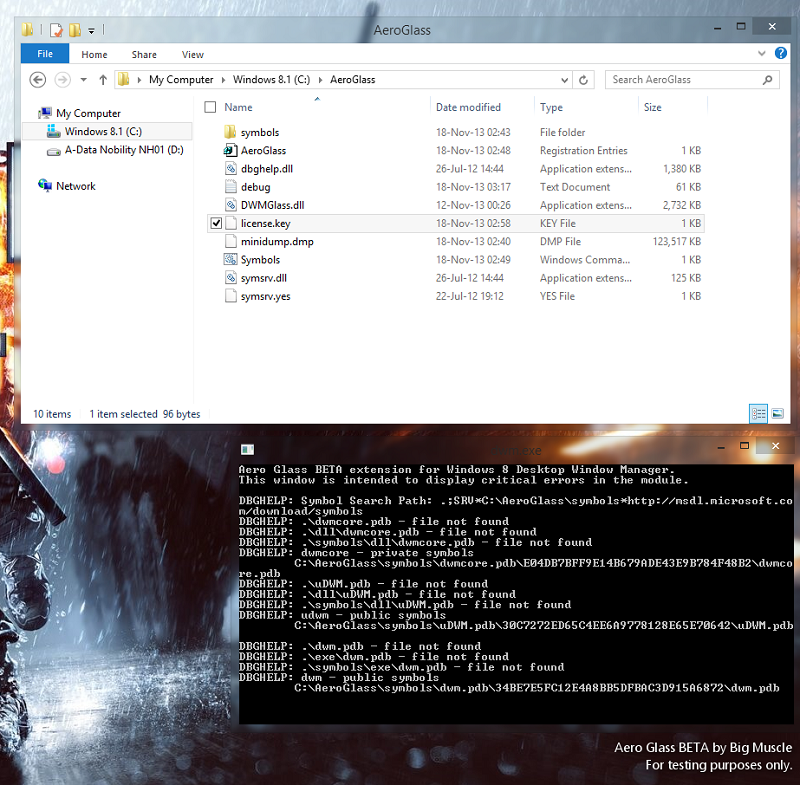
  1. I created those 3 files, moved into the C:\AeroGlass folder, rebooted PC, and same error appears The AeroGlass works fine, why is this error still here I don't get it...
  2. Sorry if I'm a noob but I just registered on the forum only for this thread. I have a licensed key, I did what BM says in the Guide and it did not work, and then I found the post quoted and did that also. I still get the error in the SS. What am I doing wrong? I mean it works, but I get that cmd error. Also, is the Beta Watermark supposed to show if I have a license? And last but not least, could you please make separate x86/x64 installers ? Or at least would you consider doing it at some point, if it's not in your plans for the time being?


Account

Navigation

Configure browser push notifications

Chrome (Android)
  1. Tap the lock icon next to the address bar.
  2. Tap Permissions → Notifications.
  3. Adjust your preference.
Chrome (Desktop)
  1. Click the padlock icon in the address bar.
  2. Select Site settings.
  3. Find Notifications and adjust your preference.