



Skip to content
View in the app

A better way to browse. Learn more.

MSFN

A full-screen app on your home screen with push notifications, badges and more.

To install this app on iOS and iPadOS
  1. Tap the Share icon in Safari
  2. Scroll the menu and tap Add to Home Screen.
  3. Tap Add in the top-right corner.
To install this app on Android
  1. Tap the 3-dot menu (⋮) in the top-right corner of the browser.
  2. Tap Add to Home screen or Install app.
  3. Confirm by tapping Install.

taw

Member
  • Joined

  • Last visited

  • Country

    Japan
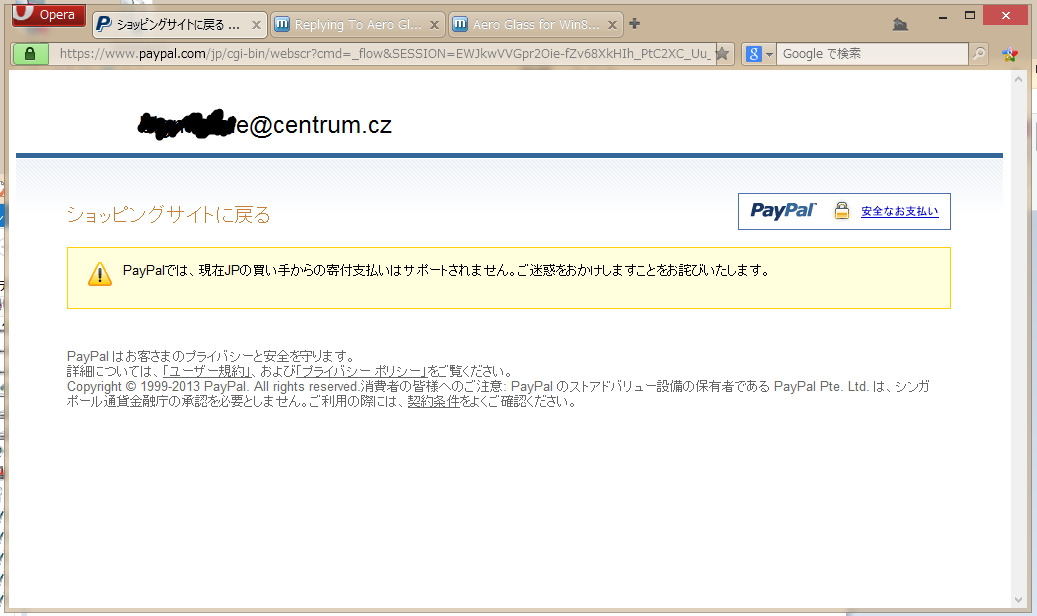
  1. "Aero Glass for Win8 1.0" Can't Donete PayPal in Japan Thanks so much, bigmuscle. "glass8 1.0" is no problem and perfect. I want to raise money for you. But, paypal can not donate to you by japan law. PayPal Error Message //////////////////////////////////////////////////////////////////////////////// PayPalでは、現在JPの買い手からの寄付支払いはサポートされません。 ご迷惑をおかけしますことをお詫びいたします。 //////////////////////////////////////////////////////////////////////////////// In PayPal, donation payment from buyers of JP currently does not support. We apologize that We apologize for any inconvenience. //////////////////////////////////////////////////////////////////////////////// I want to pay you. Please, tell me other way.
Account

Navigation

Configure browser push notifications

Chrome (Android)
  1. Tap the lock icon next to the address bar.
  2. Tap Permissions → Notifications.
  3. Adjust your preference.
Chrome (Desktop)
  1. Click the padlock icon in the address bar.
  2. Select Site settings.
  3. Find Notifications and adjust your preference.