



Skip to content
View in the app

A better way to browse. Learn more.

MSFN

A full-screen app on your home screen with push notifications, badges and more.

To install this app on iOS and iPadOS
  1. Tap the Share icon in Safari
  2. Scroll the menu and tap Add to Home Screen.
  3. Tap Add in the top-right corner.
To install this app on Android
  1. Tap the 3-dot menu (⋮) in the top-right corner of the browser.
  2. Tap Add to Home screen or Install app.
  3. Confirm by tapping Install.

vanden

Member
  • Joined

  • Last visited

  • Country

    France
  1. Same problem with start8 installed ... If i stop start8 service + kill start8 process, Aero Glass for Win8 v0.4 is OK !
  2. Ok, I have no DeviceFeatureLevel in registry (HKEY_USERS\.DEFAULT\Software\Microsoft\Windows\DWM) I create DeviceFeatureLevel (REG_DWORD 32 bit) and 9300 in hexadecimal (37632 in decimal) : same problem ... EDIT : it's OK after Reboot Thanks !
  3. http://rghost.net/43654466
  4. Ok but how activated this in virtualbox ? I have configured display in virtalbox like that : But it is the same ... Remark with WinaeroGlass (Aero8Tuner + bLend), transparency works very well :
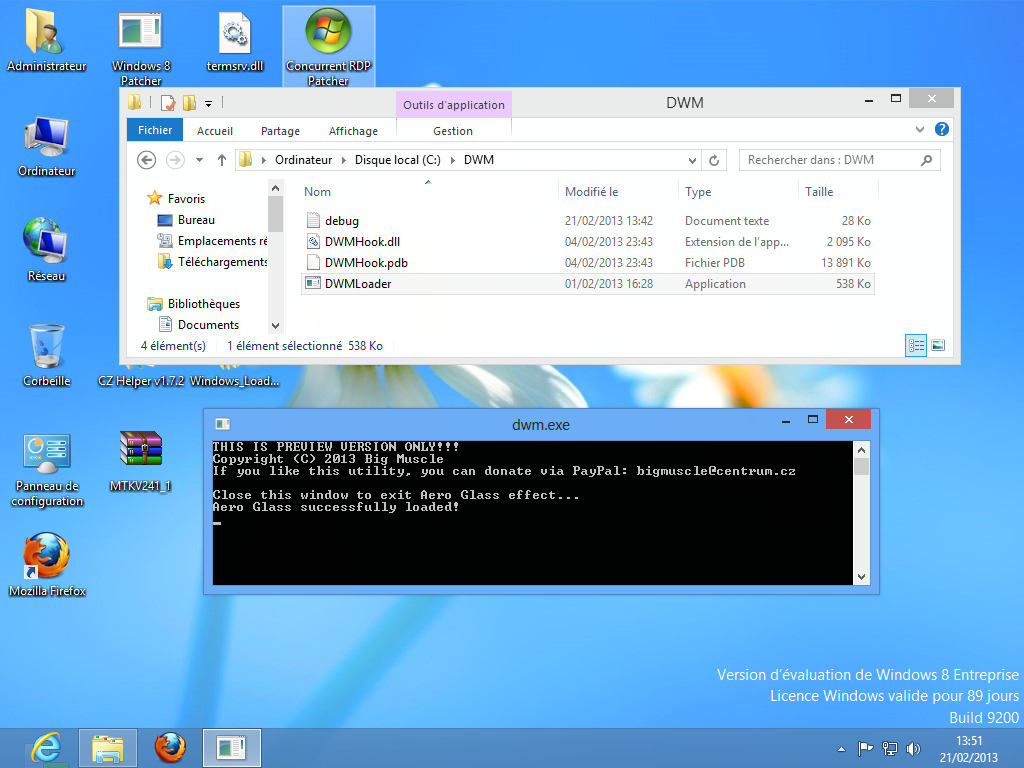
  5. Exactly same problem ! (Virtualbox 4.2.6.0(4.2.6.r82870) + Win8 x64 Entreprise Evaluation).(view attached image) debug.log And links are unvalid ! : preview 2: http://leteckaposta.cz/621343263 preview 3: http://leteckaposta.cz/985544913
Account

Navigation

Configure browser push notifications

Chrome (Android)
  1. Tap the lock icon next to the address bar.
  2. Tap Permissions → Notifications.
  3. Adjust your preference.
Chrome (Desktop)
  1. Click the padlock icon in the address bar.
  2. Select Site settings.
  3. Find Notifications and adjust your preference.