Skip to content
View in the app

A better way to browse. Learn more.

MSFN

A full-screen app on your home screen with push notifications, badges and more.

To install this app on iOS and iPadOS
  1. Tap the Share icon in Safari
  2. Scroll the menu and tap Add to Home Screen.
  3. Tap Add in the top-right corner.
To install this app on Android
  1. Tap the 3-dot menu (⋮) in the top-right corner of the browser.
  2. Tap Add to Home screen or Install app.
  3. Confirm by tapping Install.

gxgl

Member
  • Joined

  • Last visited

  • Country

    Romania

Everything posted by gxgl

  1. Unfortunately is not working. Same errors... I did that on windows xp sp3, dotnet 3.5. Regards
  2. I will try to do it tomorrow on windows xp... just as a test
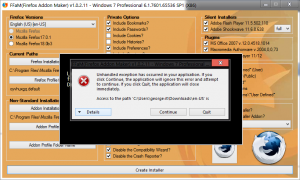
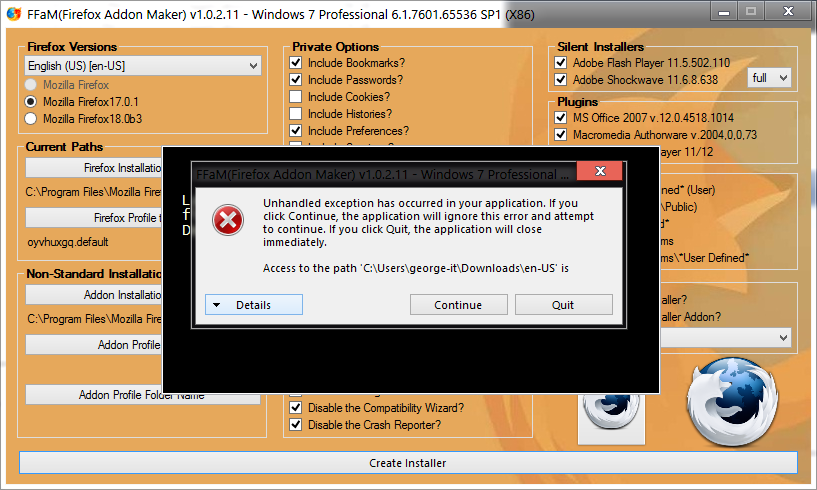
  3. Hello, First of all, Thank you for this application! I am here because I have some problems in running it. I have windows 7 Professional, Service Pack 1, 32Bits, and when I run the app I get JIT error and also is asking for "en-US" folder, and it is complaining about write access. I have tried to run it in normal way and in as administrator way - same error(s); I have created that folder - Nothing happen; I have downloaded the Firefos 17 installer, and I have put it in the same folder as the application, I have extracted the files from the installer and then I put them into the same folder, as app; Then in the en-US folder, and the full installer too - Same error(s); I don't know what is not working. I have attached the printscreen in FFaM-1.png, and the error details in FFaM-2.txt. FFaM-2.txt Thank you for any idea and any help!


Account

Navigation

Configure browser push notifications

Chrome (Android)
  1. Tap the lock icon next to the address bar.
  2. Tap Permissions → Notifications.
  3. Adjust your preference.
Chrome (Desktop)
  1. Click the padlock icon in the address bar.
  2. Select Site settings.
  3. Find Notifications and adjust your preference.