-
i cant get startisback plus rc2 to work with windows 8.1 rtm if anyone can help?
-
a good option to send to desktop for left programs would be an idea to
-
Hey are there going to be any other payment methods apart from paypal because paypal doesent like my card lol
-
working great now antivirus is not on thanx all for ur help
-
Did you try running it as a admin also try disable your antivirus. yay it installed was coz of avg , but the orb has disiperred?? the whole start menu has gone ?? i was using the x64 beta1 if that makes any difference? You will have to add the file "C:\Users\(Username)\AppData\Local\StartIsBack\Beta3\StartIsBack32.dll or StartIsBack64.dll" if you're using a 64-bit version of Windows 8, as an exclusion in your antivius, otherwise it will just remove that very important file and the menu will be gone trying to uninstall virus software to see if it be easier to do that way
-
Did you try running it as a admin also try disable your antivirus. yay it installed was coz of avg , but the orb has disiperred?? the whole start menu has gone ?? i was using the x64 beta1 if that makes any difference?
-
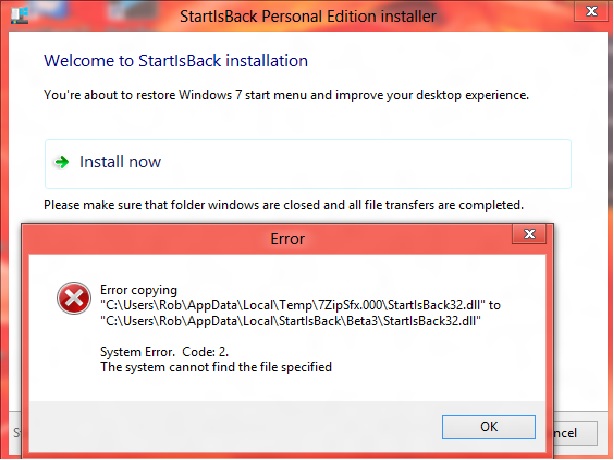
really excited about new beta but had an error trying to install :-s can i have some help pls screen shot included