




-
To add not a problem, but earlier without this file everything worked
-
Not found cabinet.dll under LiveXP it will be corrected or not to wait for changes for support of WindowsXP any more?
-
v3.8.8.3 not start & not found cabinet.dll in LiveXP, but if put this dll in dir WinNTSetup - all works
-
You can be right. But from the same assembly of LiveXP but in the WiNTSetup version 3.7.*.* such mistakes weren't On 7 based PE I didn't check. But I will surely try
-
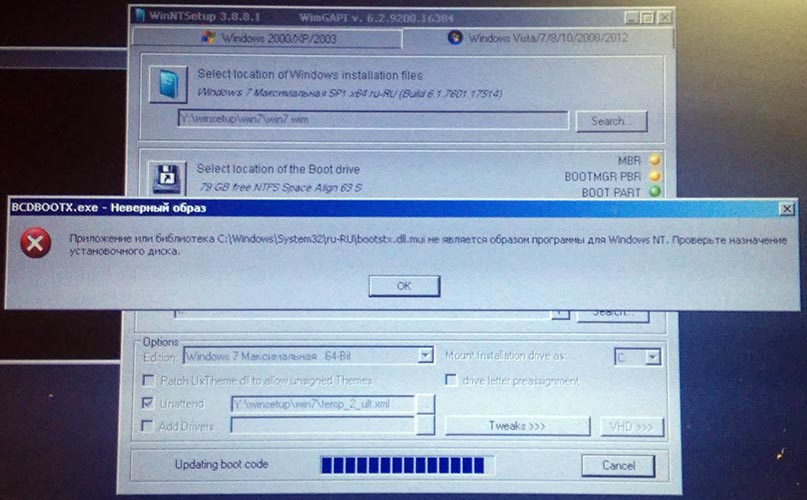
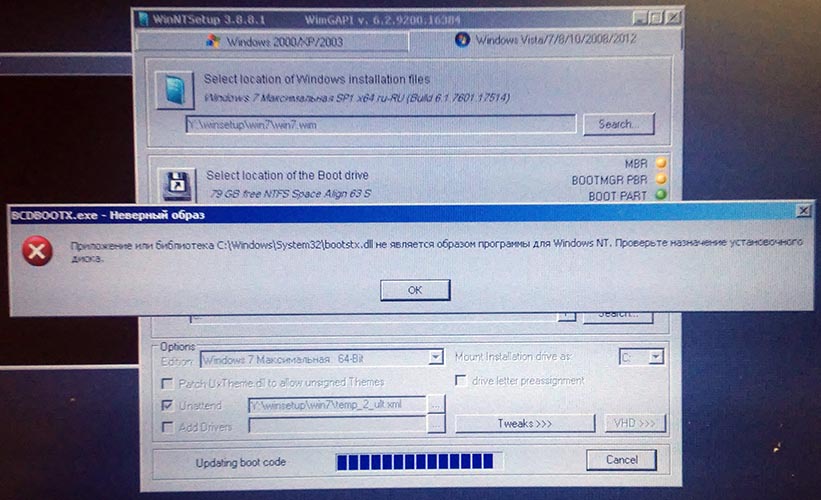
-From Google translate- From version 3.8.8.* I install Windows from LiveXP or Live7 and at the very end of installation the error message is displayed. She repeats on 2 times everyone. But all the same installation is carried out correctly. Why it can be? "The application or library *** isn't image of the program for Windows NT. Check purpose of an adjusting disk."
-
Thanks! I use old command /config:"config7.ini"
-
Hi JFX! Why the ini file of a configuration doesn't work with my name ("config7.ini")? If the ini file is called "WinNTSetup.ini" - everything works.
-
After installation Win7 icons "MBR, BOOTMGR PBR & BOOT PART" didn't change on OK. In version 3.7.* everything changed.
-
-
Hi JFX! If I install WinXP from*.bat file in v3 program: WinNTSetup.exe /nt5 /configfile:"WinNTSetup.ini" why the tab remains on Win 7/8/..... and doesn't change on Win 2000/XP....? In v2 program such wasn't
-
Thanks everything works!
-
Hi JFX! *From translator* 1. If I use the *.ini file at installation WinXP that the provision of *.sif files isn't remembered. Why doesn't remember the folder in which it is? 2. If I use the *.ini file at installation Win7 always the last index gets out. Whether it is possible to make that a certain Index by default got out?
-
Hi JFX! *From translator* Why if I use the *.ini file for installation of WinXP the program opens in Vista/7/8/2008/2012 tab? Thanks Sorry, I already understood
-
You are right it is time to transfer on ini files
-
Hi JFX! Some questions for you I have win7.wim with 4 Windows editions: 1 - Home Premium x86 2 - Ult x86 3 - Home Premium x64 4 - Ult x64 Install win7.wim: WinNTSetup.exe -NT6 -source:Y:\LIVE\winsetup\win7\win7.wim -syspart:C: -WimIndex:2 -tempdrive:C: -unattend:"win7\Autounattend.xml" -Sysletter:C If I choose 64 bit edition, description on top remains 32 bit edition. Why? Are there still no command lines keys for function "Disable automatic system Restore..." and "Turn off USB..."?