-
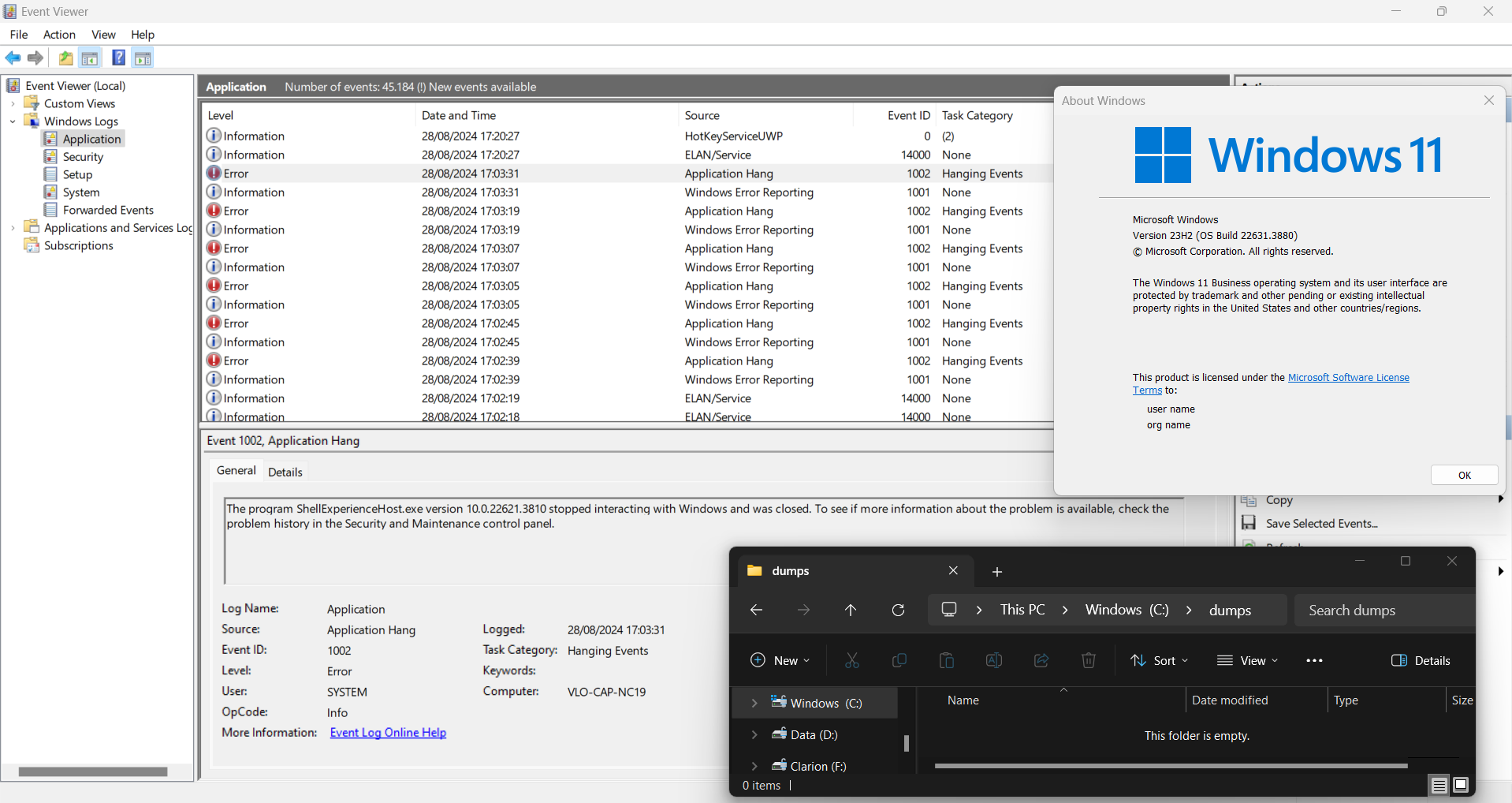
Im getting so many crashes, I cant use the application anymore. Strangely, no crash dumps are generated (I ran the .reg). SAB version 3.8.6. svchost.exe also shows crashes in Event Viewer. Config: Tripple monitors. SAB settings: Visual style: default, Windows 7 logo, explorer Win10 Ribbon UI. Applications that would crash a lot: Sourcetree, Flameshot. My Autohotkey script would also cease functioning but no crash. EDIT: This did not turn out to be the fault of SAB, it still happened even without. It was just coincidentally acting up every time I installed it.
-
Feature request for SAB: Preserve application taskbar order when switching between virtual desktops. The default Windows behavior basically makes the feature unusable. There is an open source implementation for Windows 11 available. https://windhawk.net/mods/virtual-desktop-taskbar-order https://github.com/m417z/my-windhawk-mods/blob/main/mods/virtual-desktop-taskbar-order.wh.cpp
-
My friend still uses the old Ex7forW8 because it completely disables metro. Now I thought I read something about StartIsBack that it deloads metro from the memory when not in use, is this true? Help me convince him to switch
-
This one does work, thanks. What did you mean by: all shortcuts on desktop? All my application shortcuts or the explorer7 folder with the explorer.exe etc. in it.
-
I don't know what is happening but with b5a when I login I see the desktop and the start orb for a sec but then it crashes back to metro and the orb is gone. With b4 it works just fine, I even tried it with a clean explorer.exe and .mui I am using Windows 8 Enterprise x64 with the Windows 7 Ultimate x64 explorer.exe and .mui It does work on my laptop which has Windows 8 Pro x64 on it.
-
I'm loving this tool very much Two things that I noticed though, 1. The network icon in the taskbar isn't left clickable, the right click options do work. 2. When you have your taskbar buttons set at never combine the last window of a 'group' applications doesn't have graphics even when selected, the others do work (if combine is selected it works fine), example: Just 2 minor things to put on your to do list, or tell me how to fix.