-
Thanks for these informations, as I don't have (yet) SSDs I couldn't find the speed benefit. Good to know for the future
-
I know that it is not a common use but that allow me to use just one exe (not lazyness, just for simplicity). What are the advantages of running x64 versus x86 on WinPEx64 ? For me x86 has the advantage of a better compatibility, however that's great to have the choice between compatible and optimized version =) Thank you very much for the fix !
-
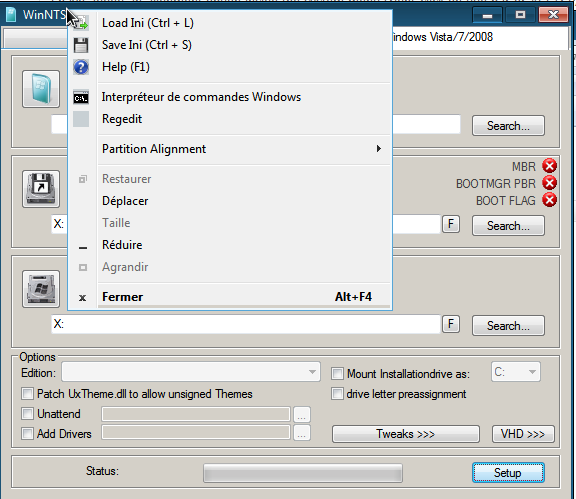
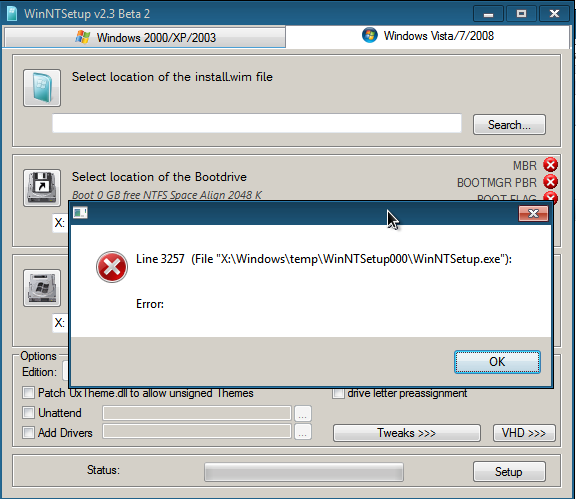
After doing some tests with beta 2, x64 works fine on x64 os and x86 works fine on x86 os . I don't know if this is a bug but the x86 has some issues on x64 os, the menu is incomplete and there is an error when left-clicking on the title bar. As I said each version works very well on the os it is expected to work on.
-
That is exactly what I want and that is already include, just wonderfull ! Thanks again ! =)))
-
Hi everybody, I use WinNTSetup since version 1.5 and I really want to thank you JFX for your great work ! I've just one suggestion about XP install. Can you add a button to switch partition alignment between XP and Vista/7/8 and a button that shortcut disk management (or an embedded disk management with option to create an XP or Vista/7/8 partition but I assume that's a lot of work for a small enhancement). I use Win7PE_SE and I change the default partition alignment with the registry keys that is on http://support.microsoft.com/kb/931760, then I create the partition before launching WinNTSetup. It would be faster to launch only WinNTSetup for doing that. But it 's just a very small detail, because your software is already perfect for installing XP from Win7PE_SE. Again thank you for your amazing work on this software !