boenki
About boenki

- Birthday 09/07/1982
boenki's Achievements
0
Reputation
-
Hi XPero and everyone else, [[ ..yes, the title is "stolen" from the nLite forum ]] I'm just planing to make a resource transformation pack like XPize which transforms the language not the Icons. On an english Windows this is no problem I think. but in other languages Windows "talks" in the polite way (Haben Sie, tienen ustedes, avez vous....) Now I know how XPize hacks the files: -unpack them -reshack them -pack them so reshacker is included in XPize and controlled via command line? I still don't get it all, so I just ask you, XPero, if you might explain what exactly XPize does and how I might build the same tool to reshack the language. I'd like my pack to be integrateable by nLite, have an updater etc. (everything XPize has) So: any chance to get the source code so that I can use/modify it for my needs? Thanks a lot! Steffen
-
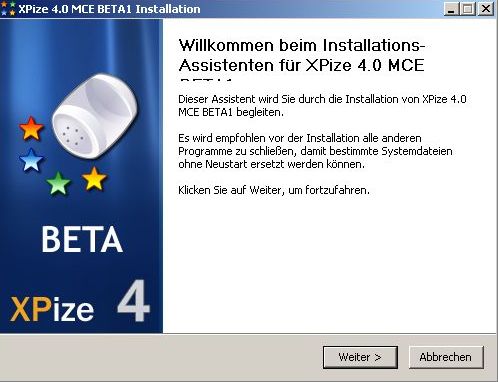
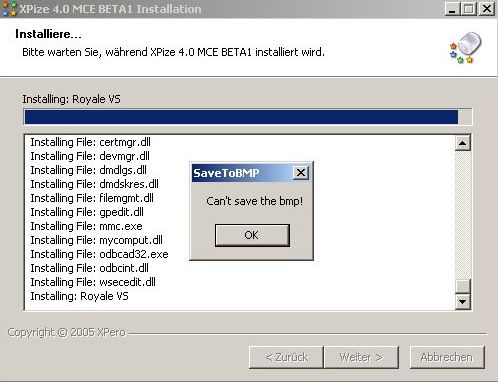
Hello XPero, I installed Xpize on a very light (nlited) system and I got two errors. XPSP2pro German. XPize post install of course. .NET framework is also installed. one bmp could not be copied. I think it exactly that one which showed up under Wallpapers afterwards. It was a bitmap which could not really be choosen althogh it showed up there. it produced an error. Ill reboot and edit here. Wait... EDIT:mmm after rebooting the problem is gone it was the MCE bitmap. when i started taskmanager after choosing it the taskmanager would leave a black trail when dragged. understand? This does once again show how right calios signature is The second thing is a very small bug (?): the text just doesn't fit into the provided space. I think if it loses beta status, it will be fixed by itself. Thanks for this new release. next thing will be the integration by nLite B) Steffen

-
Hello again, I just found out there IS the option in the Invision- Admin Control Panel to put the CSS code into a seperate file! It's here: ACP Skins & Templates Edit Settings CSS Options Cache CSS to text files? This will reduce the size of the HTML as the CSS will be in a browser cachable file. just for your information.... Steffen
-
maybe you should just listen to these both STING albums. "nothing like the sun" & "nada como el sol" and compare them....... hope you like them. de nada. estefanio..,
-
Ok, the CSS file might be a standalone one already. Than put into the source which is sended to me. Nevertheless I always download those 17KB from your server, right? If I understand it correctly..: If I just reference it it will be downloaded only once and cached in my browser. For my phpBB forum it works very nice. (Only the one-line reference in the code) Still didn't find anything how to do this on an Invisionboard. @XtremeMaC: where is your forum? What kind is it? OT@un4given1: nice Avatar! (Cried out loud when I saw it!) My favourite song: You Know What You Are!! greetSteffe/\/
-
Hi there, I just took a look at the source of this board and wondered why the whole(?) CSS-Definitions are inside each page instead in a standalone CSS-File. It's about 17KB CSS-Code for each loading of any page in the forums that could be saved. I don't know how to do it on an Invision-Board but on my phpBB-Board I did it in about 4minutes. (cut it from the header; paste it to a CSS file; reference it ) since this is a very big (and GREAT!) board you could save a lot of bandwith, I think. ...just a suggestion... cu Steffen
-
The new Version (Matroska_Pack_Full_v1.0.3.exe) works fine with "/S" as well as the *.msi one (above) does with "/qn". Now I can play *.ogg, *.mka, *.mkv and *.acc (only within *.mka files), and many more, I guess. Greetz Steffi
-
Check out your RIGHT MOUSE BUTTON --> SAVE AS. It works and it is FAST! Thanks allot to SiMoNsAyS and buletov! (but it isn't on buletovs server, is it?)