


Everything posted by Judgement
-
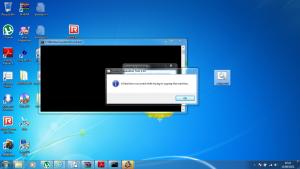
As a programmer at the Universirty of Bolton. I have followed a link on youtube on how to sysprep with Windows 7 or 2008 .The demonstration crashes on my version of Vista saying fatal error. Currentlly I am running Vista Ultimate 32 Bit. Could you please tell were I am going wrong. Thanks Error log: 2012-08-10 18:47:38, Error [sysprep.exe] UnattendFindAnswerFile: Explicitly provided unattend file [C:\Windows\System32\sysprep\unattend.xml] does not exist. 2012-08-10 18:48:51, Error [sysprep.exe] UnattendFindAnswerFile: Explicitly provided unattend file [C:\Windows\System32\sysprep\unattend.xml] does not exist. 2012-08-10 18:49:18, Error [0x0f0043] SYSPRP WinMain:The sysprep dialog box returned FALSE 2012-08-10 18:50:43, Error [0x0f0082] SYSPRP LaunchDll:Failure occurred while executing 'drmv2clt.dll,Sysprep', returned error code -2147024864[gle=0x00000020] 2012-08-10 18:50:43, Error [0x0f0070] SYSPRP RunExternalDlls:An error occurred while running registry sysprep DLLs, halting sysprep execution. dwRet = -2147024864[gle=0x00000020] 2012-08-10 18:50:43, Error [0x0f00a8] SYSPRP WinMain:Hit failure while processing sysprep cleanup providers; hr = 0x80070020[gle=0x00000020] 2012-08-10 18:52:18, Error [0x0f0082] SYSPRP LaunchDll:Failure occurred while executing 'drmv2clt.dll,Sysprep', returned error code -2147024864[gle=0x00000020] 2012-08-10 18:52:18, Error [0x0f0070] SYSPRP RunExternalDlls:An error occurred while running registry sysprep DLLs, halting sysprep execution. dwRet = -2147024864[gle=0x00000020] 2012-08-10 18:52:18, Error [0x0f00a8] SYSPRP WinMain:Hit failure while processing sysprep cleanup providers; hr = 0x80070020[gle=0x00000020] 2012-08-11 07:20:51, Error [0x0f0082] SYSPRP LaunchDll:Failure occurred while executing 'drmv2clt.dll,Sysprep', returned error code -2147024864[gle=0x00000020] 2012-08-11 07:20:51, Error [0x0f0070] SYSPRP RunExternalDlls:An error occurred while running registry sysprep DLLs, halting sysprep execution. dwRet = -2147024864[gle=0x00000020] 2012-08-11 07:20:51, Error [0x0f00a8] SYSPRP WinMain:Hit failure while processing sysprep cleanup providers; hr = 0x80070020[gle=0x00000020] unattend64.xml unattend86.xml setup.cmd
-
Changed the format to Fat32 and instalation to 32bits of Vista without autoattended.xml. EVerything seems to be ok
-
Hi Guys I use ref from the web http://news.softpedia.com/news/Install-Windows-Vista-From-a-USB-2-0-Flash-Drive-48396.shtml http://www.askvg.com/how-to-create-bootable-usb-drive-to-install-windows-vista/ to create a 4 GB bootable pen drive. But the problem here is the hard drive has crashed and not formated and not accepted the lincence during auto install I used Windows System Image Manager to code the xml and validate it. No probs here Code <?xml version="1.0" encoding="utf-8"?> <unattend xmlns="urn:schemas-microsoft-com:unattend"> <settings pass="windowsPE"> <component name="Microsoft-Windows-International-Core-WinPE" processorArchitecture="amd64" publicKeyToken="31bf3856ad364e35" language="neutral" versionScope="nonSxS"> <SetupUILanguage> <UILanguage>en-US</UILanguage> </SetupUILanguage> <InputLocale>0409:00000409</InputLocale> <UserLocale>en-US</UserLocale> <UILanguage>en-US</UILanguage> <SystemLocale>en-US</SystemLocale> </component> <component name="Microsoft-Windows-Setup" processorArchitecture="amd64" publicKeyToken="31bf3856ad364e35" language="neutral" versionScope="nonSxS" xmlns:wcm="http://schemas.microsoft.com/WMIConfig/2002/State" xmlns:xsi="http://www.w3.org/2001/XMLSchema-instance"> <DiskConfiguration> <Disk wcm:action="add"> <CreatePartitions> <CreatePartition wcm:action="add"> <Order>1</Order> <Type>Primary</Type> </CreatePartition> </CreatePartitions> <ModifyPartitions> <ModifyPartition wcm:action="add"> <Active>true</Active> <Format>NTFS</Format> <Label>Win_OS7</Label> <Letter>C</Letter> <Order>1</Order> <PartitionID>1</PartitionID> </ModifyPartition> </ModifyPartitions> <DiskID>0</DiskID> <WillWipeDisk>true</WillWipeDisk> </Disk> </DiskConfiguration> <ImageInstall> <OSImage> <InstallTo> <DiskID>0</DiskID> <PartitionID>1</PartitionID> </InstallTo> </OSImage> </ImageInstall> <UserData> <ProductKey> <Key>1111-11111-11111-1111-11111</Key> <WillShowUI>Never</WillShowUI> </ProductKey> </UserData> </component> </settings> <settings pass="oobeSystem"> <component name="Microsoft-Windows-Shell-Setup" processorArchitecture="amd64" publicKeyToken="31bf3856ad364e35" language="neutral" versionScope="nonSxS"> <OOBE> <HideEULAPage>true</HideEULAPage> <NetworkLocation>Home</NetworkLocation> <ProtectYourPC>2</ProtectYourPC> <SkipMachineOOBE>true</SkipMachineOOBE> <SkipUserOOBE>true</SkipUserOOBE> <HideWirelessSetupInOOBE>true</HideWirelessSetupInOOBE> </OOBE> <TimeZone>GMT Standard Time</TimeZone> <UserAccounts> <AdministratorPassword> <Value>VgBpAGMAawBpAEcAVAA3AEEAZABtAGkAbgBpAHMAdAByAGEAdABvAHIAUABhAHMAcwB3AG8AcgBkAA==</Value> <PlainText>false</PlainText> </AdministratorPassword> <LocalAccounts> <LocalAccount> <Password> <Value>VgBpAGMAawBpAEcAVAA3AFAAYQBzAHMAdwBvAHIAZAA=</Value> <PlainText>false</PlainText> </Password> <Description>Myself</Description> <DisplayName>Gordon</DisplayName> <Group>Administrators;Users;</Group> <Name>Gordon</Name> </LocalAccount> </LocalAccounts> </UserAccounts> </component> <component name="Microsoft-Windows-International-Core" processorArchitecture="amd64" publicKeyToken="31bf3856ad364e35" language="neutral" versionScope="nonSxS"> <InputLocale>0409:00000409</InputLocale> <UserLocale>en-US</UserLocale> <UILanguage>en-US</UILanguage> <SystemLocale>en-US</SystemLocale> </component> </settings> <settings pass="specialize"> <component name="Microsoft-Windows-Shell-Setup" processorArchitecture="amd64" publicKeyToken="31bf3856ad364e35" language="neutral" versionScope="nonSxS"> <ComputerName>Home</ComputerName> <CopyProfile>true</CopyProfile> <RegisteredOrganization>Home User</RegisteredOrganization> <RegisteredOwner>Gordon Walch</RegisteredOwner> <Display> <ColorDepth>32</ColorDepth> <HorizontalResolution>1024</HorizontalResolution> <RefreshRate>60</RefreshRate> <VerticalResolution>768</VerticalResolution> </Display> </component> </settings> <cpi:offlineImage cpi:source="catalog:g:/system/orginal/system/vista64bit/1/sources/install_windows vista ultimate.clg" xmlns:cpi="urn:schemas-microsoft-com:cpi" /> </unattend> cannot pass insallation stage as it gives me an error "" much greatful for your help
-
Thanks for the update 7 is the same as Vista but a different interface. Because Microsoft knows me. Looking at the log. The code looks like Visual studio 2008/2010 with visual basic As a programmer at uni of Bolton http://www2.bolton.ac.uk/coursefinder/DisplayCourse.aspx?ProgId=c3f42362-3abe-4c5a-bedb-d8aa5c7edd04
-
Still there is a problem with Vista Platform when using this program log.txt
-
No mistake at all. Many users run the 32 version even into new machines because this mode has a greater compatibility with old apps created for XP than the future-looking 64 mode.Almost all existing software runs perfect under 32 bits. In case of need, you can install the 64 bits mode of the same Windows version into a logical unit of the same HDD using the same activation key. The doubleboot screen appears at the end of the second install process.HTH No problems here on a Intel x64 system. The only problem is the software updates "to make it reliable"
