



Skip to content
View in the app

A better way to browse. Learn more.

MSFN

A full-screen app on your home screen with push notifications, badges and more.

To install this app on iOS and iPadOS
  1. Tap the Share icon in Safari
  2. Scroll the menu and tap Add to Home Screen.
  3. Tap Add in the top-right corner.
To install this app on Android
  1. Tap the 3-dot menu (⋮) in the top-right corner of the browser.
  2. Tap Add to Home screen or Install app.
  3. Confirm by tapping Install.

Darkstar

Member
  • Joined

  • Last visited

  • Country

    Argentina

Everything posted by Darkstar

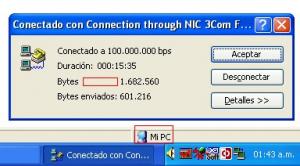
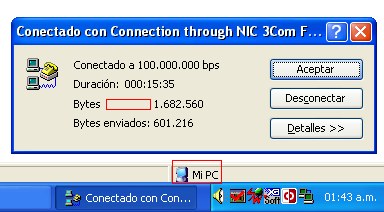
  1. After updating RP v9.7.1 I noticed some text in the connection state was missing so i checked the (Don't replace default shell font with Tahoma) Box in RPConfig after the Reboot the text was fine! also the (My Computer Icon) in the Explorer window now has black borders
  2. I have updated KernelEx-4.0-Final2 to KernelEx-4.5 Final and now i can't see the compatibilty tab on shortcuts and .exe Files Edit! After uninstall and reboot Kernelex has been installed successfully
Account

Navigation

Configure browser push notifications

Chrome (Android)
  1. Tap the lock icon next to the address bar.
  2. Tap Permissions → Notifications.
  3. Adjust your preference.
Chrome (Desktop)
  1. Click the padlock icon in the address bar.
  2. Select Site settings.
  3. Find Notifications and adjust your preference.