Skip to content
View in the app

A better way to browse. Learn more.

MSFN

A full-screen app on your home screen with push notifications, badges and more.

To install this app on iOS and iPadOS
  1. Tap the Share icon in Safari
  2. Scroll the menu and tap Add to Home Screen.
  3. Tap Add in the top-right corner.
To install this app on Android
  1. Tap the 3-dot menu (⋮) in the top-right corner of the browser.
  2. Tap Add to Home screen or Install app.
  3. Confirm by tapping Install.

schneidwui

Member
  • Joined

  • Last visited

  • Country

    Germany
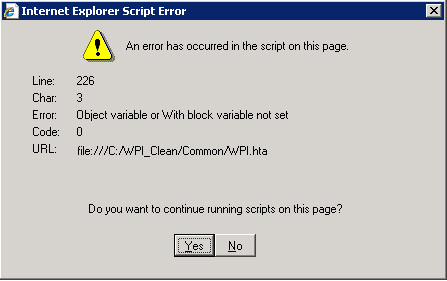
  1. Hello I get an error when starting WPI v8 exe on Windows Server 2003 R2 32bit and 64bit (both tested), no problems so far on Windows Server 2008 64bit, Windows Server 2008 R2 64bit, Windows 7 64bit. I used the downloaded and unmodified version, with no own config, userfunctions, useroptions or something else, to exclude errors in my own configs. Internet Explorer Script Error An error has occured in the script on this page. Line: 226 Char: 3 Error: Object variable or With block variable not set Code: 0 URL: file:///C:/WPI_Clean/Common/WPI.hta Or see the attached screenshot. Hope it helps you to fix this error. I really like v8, waited a long time for an update..good job!!!
Account

Navigation

Search

Search

Configure browser push notifications

Chrome (Android)
  1. Tap the lock icon next to the address bar.
  2. Tap Permissions → Notifications.
  3. Adjust your preference.
Chrome (Desktop)
  1. Click the padlock icon in the address bar.
  2. Select Site settings.
  3. Find Notifications and adjust your preference.