Skip to content
View in the app

A better way to browse. Learn more.

MSFN

A full-screen app on your home screen with push notifications, badges and more.

To install this app on iOS and iPadOS
  1. Tap the Share icon in Safari
  2. Scroll the menu and tap Add to Home Screen.
  3. Tap Add in the top-right corner.
To install this app on Android
  1. Tap the 3-dot menu (⋮) in the top-right corner of the browser.
  2. Tap Add to Home screen or Install app.
  3. Confirm by tapping Install.

AdminUser

Member
  • Joined

  • Last visited

  • Country

    Cyprus
  1. Can anybody mention about winlogon location in XP I would like to use xxx.bat file during the windows logging run automatically itself Thanks in Advance
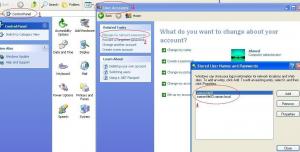
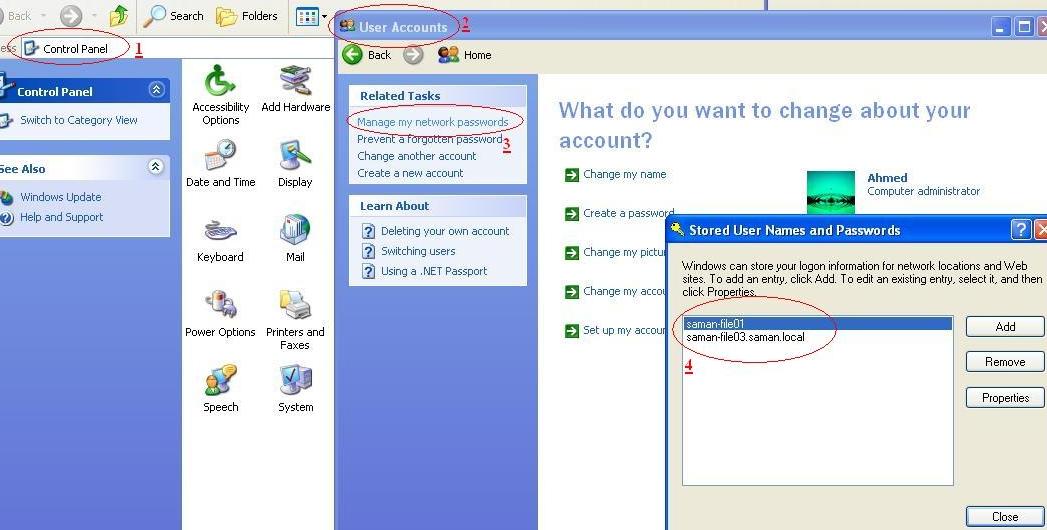
  2. Hi, I have some tricky problem you can see attachment, Possible to get solution from you Or your Freinds, If solved highly Appriciate to you. Problem. When ever restart the PC escaping(Un-Saved) username and password then i have to use again username and password to connect network resources folders (LAN). Please see attachment below for more information Regards, Admin User
Account

Navigation

Search

Search

Configure browser push notifications

Chrome (Android)
  1. Tap the lock icon next to the address bar.
  2. Tap Permissions → Notifications.
  3. Adjust your preference.
Chrome (Desktop)
  1. Click the padlock icon in the address bar.
  2. Select Site settings.
  3. Find Notifications and adjust your preference.