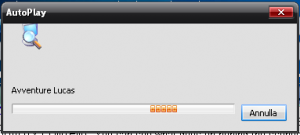
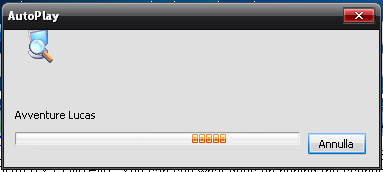
Hi. I'd like to use this first post to thank you for xpize. I always hated those dirty patches and hacks just to skin your XP, they always created more problems than they were worth for. When I found xpize I was really impressed because it just did what I wanted, plus adding bonuses such as a full resources update (which is also, I can understand, the harder part of xpize's job). What I'd like to see in next release would be a revamped installation, as it's not so easily understandable unless you try a few times what the various options mean, but the installation+reboot doesn't make for an easy testing, so a few things should be clearer. As Hell Racer said, would be nice to fix the advanced/simple views. Also, in those "views", would be nice to see what each selected element looks like before installing, maybe with a picture showing all elements of various themes. The preview pictures used right now are too small and also wrong (or maybe my xpize doesn't work fine?), as I expected a theme and got another one (not a big problem, as I can change them from desktop properties, but that one looked cool on the picture, and it's not in the list of skins ). It was "old xpize" or something similar, I can't load the installer right now (need a reboot ), but i can be more precise if that didn't made sense. Another problem I found is this: as you can see the new resource for the animation is misplaced. If I find more misplaced resources I'll let you know. Btw I'm using Italian XP Pro SP3.