Skip to content
View in the app

A better way to browse. Learn more.

MSFN

A full-screen app on your home screen with push notifications, badges and more.

To install this app on iOS and iPadOS
  1. Tap the Share icon in Safari
  2. Scroll the menu and tap Add to Home Screen.
  3. Tap Add in the top-right corner.
To install this app on Android
  1. Tap the 3-dot menu (⋮) in the top-right corner of the browser.
  2. Tap Add to Home screen or Install app.
  3. Confirm by tapping Install.

zolee001

Member
  • Joined

  • Last visited

  • Country

    Hungary
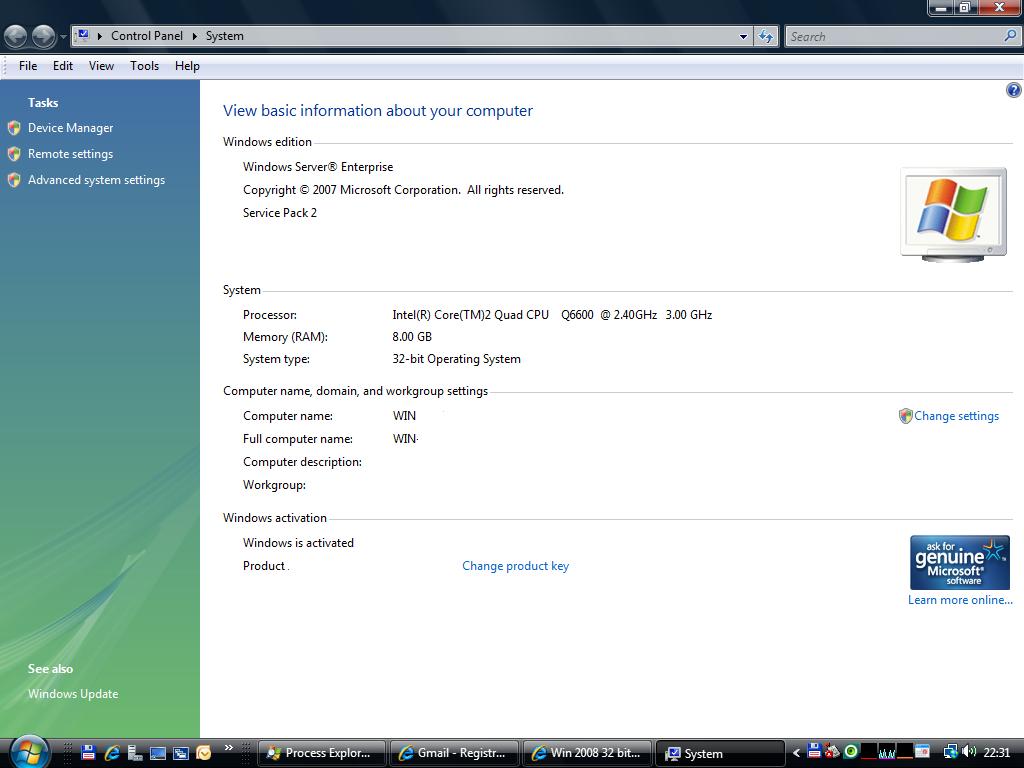
  1. Hi! Minimum: 1 GHz (x86 processor) or 1.4 GHz (x64 processor) Note: An Intel Itanium 2 processor is required for Windows Server 2008 for Itanium-Based Systems Memory Minimum: 512 MB RAM Maximum (32-bit systems): 4 GB (Standard) or 64 GB (Enterprise and Datacenter) Maximum (64-bit systems): 8 GB (Foundation) or 32 GB (Standard) or 2 TB (Enterprise, Datacenter, and Itanium-Based Systems) Disk Space Requirements Minimum (32-bit systems): 20 GB or greater Minimum (64-bit systems): 32 GB or greater Foundation: 10 GB or greater Note: Computers with more than 16 GB of RAM will require more disk space for paging, hibernation, and dump files Display Super VGA (800 × 600) or higher resolution monitor Other Keyboard and Microsoft Mouse or compatible pointing device

Account

Navigation

Search

Search

Configure browser push notifications

Chrome (Android)
  1. Tap the lock icon next to the address bar.
  2. Tap Permissions → Notifications.
  3. Adjust your preference.
Chrome (Desktop)
  1. Click the padlock icon in the address bar.
  2. Select Site settings.
  3. Find Notifications and adjust your preference.