Skip to content
View in the app

A better way to browse. Learn more.

MSFN

A full-screen app on your home screen with push notifications, badges and more.

To install this app on iOS and iPadOS
  1. Tap the Share icon in Safari
  2. Scroll the menu and tap Add to Home Screen.
  3. Tap Add in the top-right corner.
To install this app on Android
  1. Tap the 3-dot menu (⋮) in the top-right corner of the browser.
  2. Tap Add to Home screen or Install app.
  3. Confirm by tapping Install.

Casmo

Member
  • Joined

  • Last visited

  • Country

    Netherlands
  1. @dead0 That folder excists, but it's totally empty, deleted it anyway ^^ @MagicAndre C:\Users\x\AppData\Local\Temp (Standard folder) And it's not read-only ^^ I think I've found it allready, I might've put the wrong wimgapi.dll into the vLite folder, I'll try to put another in, and will tell if it fixed later on. Thanks for all the reactions allready ^^
  2. @MagicAndre At the "Clean Part" (After Removing components) @Hegel There's nothing wrong with my ram, checked that the first time I got this error... @dead0 I have the right WAIK, because this WAIK is used earlyer to use vLite, and it worked fine earlyer, so that's not the problem =.= I don't like this, because I only used this current OS as a temporary one, and now I can't make a new one XD Or I'd have to reinstall Vista again =.= (I'll look tomorrow again on this post, I'm going to sleep now ^^)

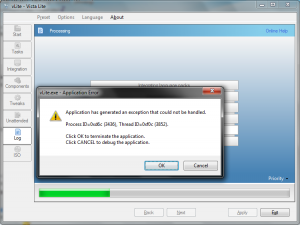
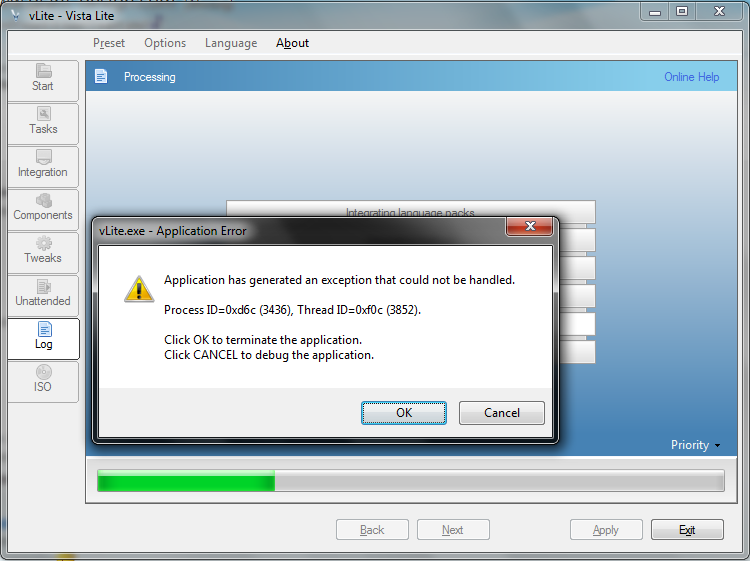
  3. Look at the picture... Can anyone tell me what's wrong? Thanks in advance!

Account

Navigation

Configure browser push notifications

Chrome (Android)
  1. Tap the lock icon next to the address bar.
  2. Tap Permissions → Notifications.
  3. Adjust your preference.
Chrome (Desktop)
  1. Click the padlock icon in the address bar.
  2. Select Site settings.
  3. Find Notifications and adjust your preference.