Everything posted by hipo_loco
-
Thanks for your asnwer I decided to install these packages using RunOnceEx method and it worked perfectly.
-
MSDownloadsESN updated to v1.01 (see my post for details).
-
While I was creating the MSDownloadsESN, I found the update to the Windows Genuine Advantage Notifications Tool Program (Spanish). You can download it from this link. Version: v1.9.0040.0 Date: 2009-03-10 See you...
-
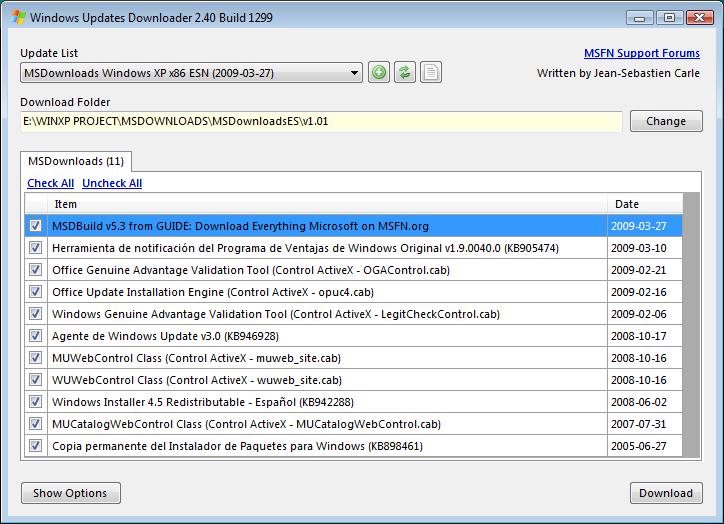
MSDownloadsESN v1.01 hipo_loco MSDownloadsESN WUD List v1.01 Author: Rodrigo Fernandez (hipo_loco on MSFN.org) Last Update: 08:00 PM 2009-03-27 Helpful Notes: • This list is maintained only for Windows XP x86 Spanish. Changelog: • v1.0 (2009-03-25): - First release. - Changed OGAControl.cab, LegitCheckControl.cab and Windows Update Agent download links. - Changed KB898461 and KB905474 download links for their Spanish versions. - KB905474 updated to version 1.9.0040.0. • v1.01 (2009-03-27): - Updated MSBuild information (I'm very detailed ) Credits: • Kenneth R. Alcock (DarkShadows on MSFN.org) for his excellent work in creating the script and explain how to edit this file. • My girlfriend, for having so much patience ^^ MSDownloadsESN.ulz
-
Yes, I copied the installers to SVCPACK folder.
-
Sorry if this question has been answered, but I don't understand all the information in this topic because I don't speak english. I 'm trying to install Windows Search, Silverlight, Calculator Plus & Windows Defender using SVCPACK method but it doesn't work. I added the installers this way: [SetupHotfixesToRun] HFSLIP.CMD Q923789.EXE /Q:A /R:N DNF11es.exe DNF20SP2es.exe DNF30SP2es.exe DNF35SP1es.exe IMAPI_XP_SRV2003_x86.exe /quiet /norestart Silverlight.2.0.exe /q SmartCard_XP_x86.exe /quiet /norestart WindowsSearch-KB940157-XP-x86-esn /quiet /norestart WindowsXP-KB898461-x86-ESN.exe /quiet /norestart WindowsXP-KB905474-ENU-x86-Standalone.exe /quiet /norestart WindowsXP-KB942288-v3-x86.exe /quiet /norestart WindowsXP-KB950760-x86-ESN.exe /quiet /norestart WindowsXP-KB953356-x86-ENU.exe /quiet /norestart WindowsXP-KB956391-x86-ESN.exe /quiet /norestart WindowsXP-KB959252-v2-x86-ESN.exe /quiet /norestart WindowsXP-KB960715-x86-ESN.exe /quiet /norestart WindowsXP-KB961118-x86-ESN.exe /quiet /norestart WindowsXP-KB967715-x86-ESN.exe /quiet /norestart CalcPlus.msi /quiet /norestart WindowsDefender.msi /quiet /norestart WindowsUpdateAgent30-x86.exe /wuforce /quiet /norestart qchain.exe MSDownloads.exe Any suggestions ???
-
Sorry if this question has been answered, but I don't understand all the information in this topic because I don't speak english. I created the installers and I tried to install them using SVCPACK method, the problem is that it doesn't work and I don't know why. I added the installers this way: [SetupHotfixesToRun] HFSLIP.CMD Q923789.EXE /Q:A /R:N DNF11es.exe DNF20SP2es.exe DNF30SP2es.exe DNF35SP1es.exe IMAPI_XP_SRV2003_x86.exe /quiet /norestart Silverlight.2.0.exe /q SmartCard_XP_x86.exe /quiet /norestart WindowsSearch-KB940157-XP-x86-esn /quiet /norestart WindowsXP-KB898461-x86-ESN.exe /quiet /norestart WindowsXP-KB905474-ENU-x86-Standalone.exe /quiet /norestart WindowsXP-KB942288-v3-x86.exe /quiet /norestart WindowsXP-KB950760-x86-ESN.exe /quiet /norestart WindowsXP-KB953356-x86-ENU.exe /quiet /norestart WindowsXP-KB956391-x86-ESN.exe /quiet /norestart WindowsXP-KB959252-v2-x86-ESN.exe /quiet /norestart WindowsXP-KB960715-x86-ESN.exe /quiet /norestart WindowsXP-KB961118-x86-ESN.exe /quiet /norestart WindowsXP-KB967715-x86-ESN.exe /quiet /norestart CalcPlus.msi /quiet /norestart WindowsDefender.msi /quiet /norestart WindowsUpdateAgent30-x86.exe /wuforce /quiet /norestart qchain.exe MSDownloads.exe When I excecute them after Windows installation they work perfectly. Any suggestions ???
-
Thank you for the guide, excellent work. A tip for Windows XP (Spanish) users: In order for the package to work, you must change the following line of SFX-MSC.cmd before running MSBuild.cmd Ver | find / i "Version 5.1"> NUL 2> & 1 (original line) Ver | find / i "5.1"> NUL 2> & 1 (edited line) You must do the same in each line of MSBuild.cmd Ver | Find /I "5.0" > Nul 2>&1 If Not ErrorLevel 1 Set WinVer=2000 Ver | Find /I "5.1" > Nul 2>&1 If Not ErrorLevel 1 Set WinVer=XP Ver | Find /I "6." > Nul 2>&1 If Not ErrorLevel 1 Set WinVer=Vista Ver | Find /I "7." > Nul 2>&1 If Not ErrorLevel 1 Set WinVer=7 With these changes, the MSDowloads.exe will install all ActiveX Controls.
-
My Windows 95C CD has integrated the floppy disk, so the sequence is the same as you describe. I'm going to try editing the CONFIG.SYS and AUTOEXEC.BAT, although I have no idea how to do it.
-
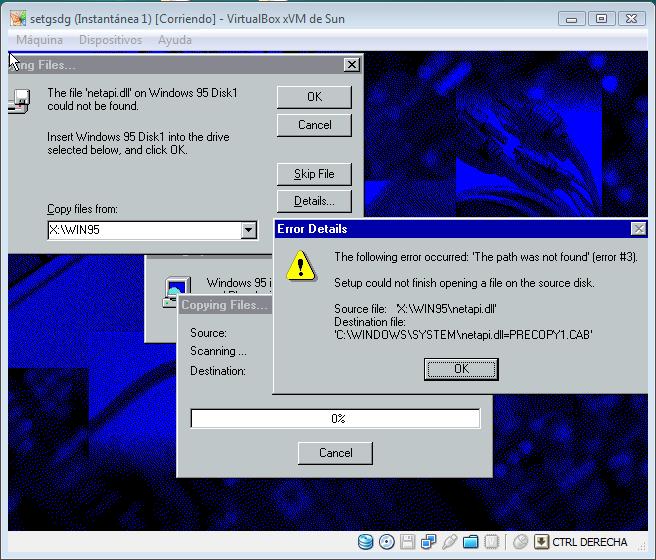
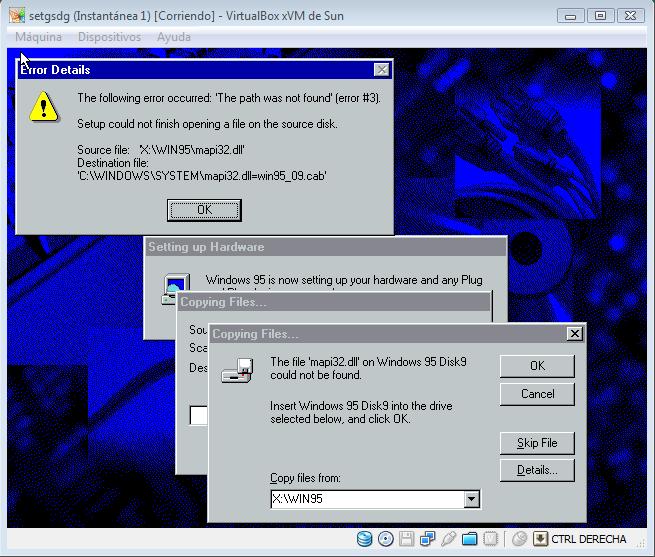
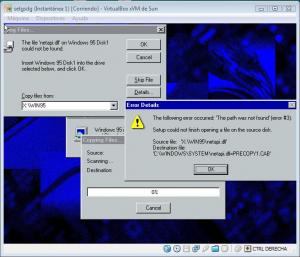
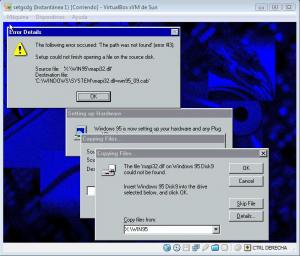
Thanks for your answer =) I have this problem in a lot of files (see examples in snapshots). I use all time the CD (the ISO file) to install Windows.
-
First sorry for my english (how I always say: "my english is very malito xD") I'm having problems when trying to install Windows 95B/C in a virtual machine. I always get the same error (error #3: can't find the file ****.dll or ****.vxd). I tried to change the directory path to multiple directories: C:\WINDOWS C:\WINDOWS\SYSTEM C:\WINDOWS\SYSTEM32 <CDROM>:\WIN95 (I tried all letters) ETC, ETC... but without result. Can somebody tell me why is this happening? See you...