Skip to content
View in the app

A better way to browse. Learn more.

MSFN

A full-screen app on your home screen with push notifications, badges and more.

To install this app on iOS and iPadOS
  1. Tap the Share icon in Safari
  2. Scroll the menu and tap Add to Home Screen.
  3. Tap Add in the top-right corner.
To install this app on Android
  1. Tap the 3-dot menu (⋮) in the top-right corner of the browser.
  2. Tap Add to Home screen or Install app.
  3. Confirm by tapping Install.

yeehwa

Member
  • Joined

  • Last visited

  • Country

    Malaysia

Everything posted by yeehwa

  1. yeehwa posted a topic in nLite
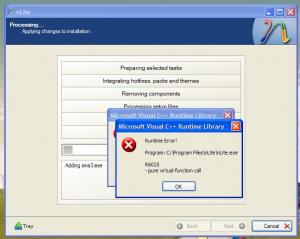
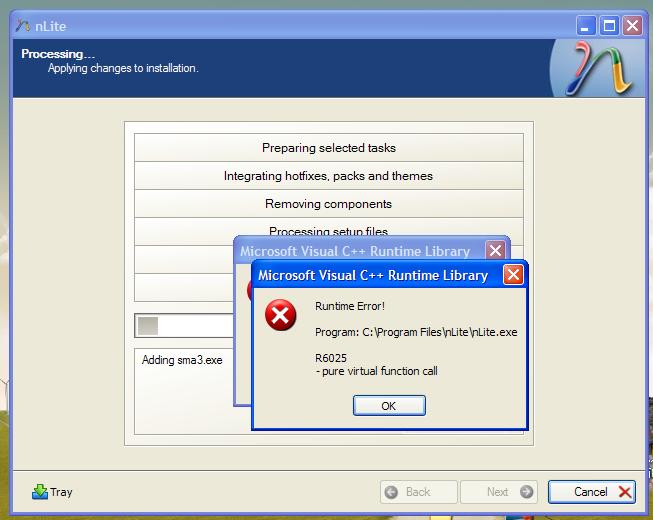
    today i try use nLite integrating drivers, the Runtime error come out. my computer = fresh install windows XP + Microsoft .NET Framework 3.5 SP1 i post the screen capture here. when process starting the driver part sure pop out error. anyone have any idea, thanks.
  2. yeehwa replied to yeehwa's topic in nLite
    Thanks your reply, i found a Nightlies version of MassStorage, DP_MassStorage_wnt5_x86-32_810H, this package have support HP's CQ-40 notebook chipset ATI SB7xx. Try first, tell you latest result. thank you.
  3. yeehwa posted a topic in nLite
    sorry for my poor english. Because my old make WindowsXP CD cant detect the HP CQ-40 notebook Hard disk, so i decide make a new one. First check driverpacks website, good is have new graphic driverpacks, bad is the MassStorage still same. download the newer graphic packs and check the HP's notebook is ATI SB7xx. download Catalyst 8.10, extract and take RAID7xx driver. I use nlite ver.1.4.9.1 to integrate Drivers. After integrate, i make ISO, and use VirtualBox ver.2.0.4 to test. After partition, 100% copy files, blue screen (tested on Microsoft Virtual PC 2007 also same problem.) error message: I think is some one driverpack have problem, then i add each driverpack one by one and testing. This time can finish add whole driverpacks and finish install windows. Latest i add program addons and setup Full Automatic Unattended Mode, the same problem again. Can tell me what is the problem??? is the driver problem ???


Account

Navigation

Configure browser push notifications

Chrome (Android)
  1. Tap the lock icon next to the address bar.
  2. Tap Permissions → Notifications.
  3. Adjust your preference.
Chrome (Desktop)
  1. Click the padlock icon in the address bar.
  2. Select Site settings.
  3. Find Notifications and adjust your preference.