



Skip to content
View in the app

A better way to browse. Learn more.

MSFN

A full-screen app on your home screen with push notifications, badges and more.

To install this app on iOS and iPadOS
  1. Tap the Share icon in Safari
  2. Scroll the menu and tap Add to Home Screen.
  3. Tap Add in the top-right corner.
To install this app on Android
  1. Tap the 3-dot menu (⋮) in the top-right corner of the browser.
  2. Tap Add to Home screen or Install app.
  3. Confirm by tapping Install.

RegisterForOneQuestion

Member
  • Joined

  • Last visited

  • Country

    Germany
  1. Thanks for the Information. Now I solved the problem. Just download this XP Update: http://www.microsoft.com/downloads/details...;DisplayLang=de ( which is including the file fltmgr.sys) and install it, now it is working.
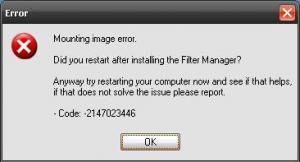
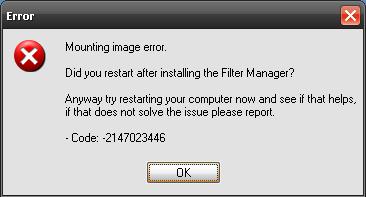
  2. Hi, I tried to open my VISTA CD (included SP1, copied manually from DVD to HDD) and get an error "Mounting Image Error" (see Uploaded Image for Details). I've installed it by the first installation and had restartet the machine. Now I tried to reinstall VLite but it doesn't solve the problem. My Host System is Windows XP. What can I do?
Account

Navigation

Configure browser push notifications

Chrome (Android)
  1. Tap the lock icon next to the address bar.
  2. Tap Permissions → Notifications.
  3. Adjust your preference.
Chrome (Desktop)
  1. Click the padlock icon in the address bar.
  2. Select Site settings.
  3. Find Notifications and adjust your preference.