


-
thanx dosprobie...will give a try i'm using Windows Download Integrator and drivers from my windows 7 x64
-
Hi everyone, I'm having problems when integrating drivers from my win 7 x64 in to my win 8 x64 pro, even i used forced unsigned. The problem is, when installing windows 8 x64 all goes well untill the last stage, the system crashes. anyone has work ground for this?
-
good news
-
hi, are u running as administrator? u coud also try to xcopy and then remove the shortcuts...good luck
-
@ekttob, the new beta 5.1.0.0 still don't detect waik after u restart, u still have to point out the location. i wondering if u people have fixed this? so many betas and still no fix...what's going on? i'm running win 7 x64 sp1
-
thanx for creating the tool, i will try
-
is this application project alive?
-
so, bensam said.... rt 7 lite v3 will be out soon? any idea when?
-
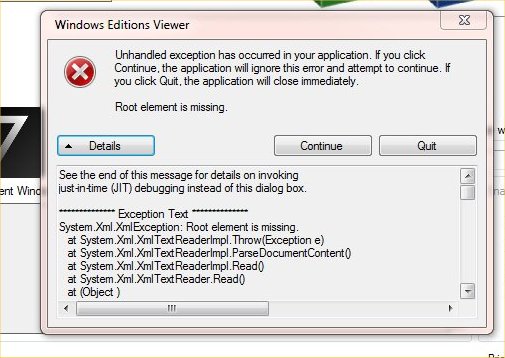
yes, the updates for xp dutch can be found here http://www.ryanvm.net/forum/viewforum.php?f=10&sid=6232e902d68c2b91d17b6707369e8813'>http://www.ryanvm.net/forum/viewforum.php?f=10&sid=6232e902d68c2b91d17b6707369e8813 or http://www.ryanvm.net/forum/hi, i have the same problem as fairbod. i'm running windows 7 x64 sp1still having same error with 7 x64 sp1 image and x64 singlelink works now...thanks Anyway, i still have a error when trying to open win 7 x64 sp1 image see image
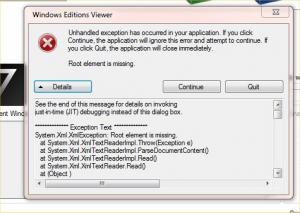 the pm link is unavailablecan you please upload in other mirror then midiafire...thank u
Account
Navigation
Search
Configure browser push notifications
Chrome (Android)
- Tap the lock icon next to the address bar.
- Tap Permissions → Notifications.
- Adjust your preference.
Chrome (Desktop)
- Click the padlock icon in the address bar.
- Select Site settings.
- Find Notifications and adjust your preference.
Safari (iOS 16.4+)
- Ensure the site is installed via Add to Home Screen.
- Open Settings App → Notifications.
- Find your app name and adjust your preference.
Safari (macOS)
- Go to Safari → Preferences.
- Click the Websites tab.
- Select Notifications in the sidebar.
- Find this website and adjust your preference.
Edge (Android)
- Tap the lock icon next to the address bar.
- Tap Permissions.
- Find Notifications and adjust your preference.
Edge (Desktop)
- Click the padlock icon in the address bar.
- Click Permissions for this site.
- Find Notifications and adjust your preference.
Firefox (Android)
- Go to Settings → Site permissions.
- Tap Notifications.
- Find this site in the list and adjust your preference.
Firefox (Desktop)
- Open Firefox Settings.
- Search for Notifications.
- Find this site in the list and adjust your preference.